COMMISSIONING AND OPERATION 5
8024534 / 16UW / 2020-02-26 Operating Instructions | InspectorP Rack Fine Positioning 37
Subject to change without notice
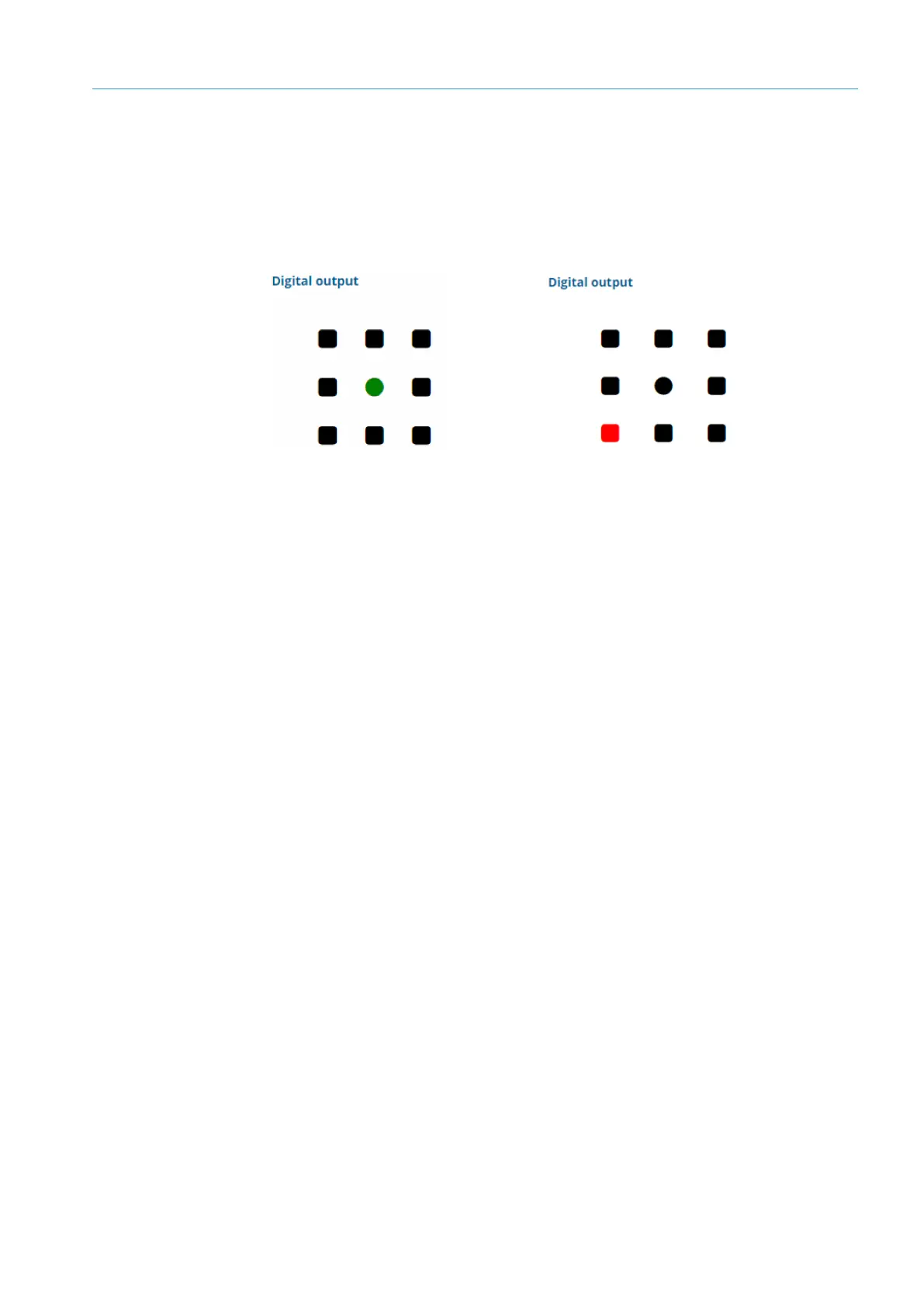
The current position of the positioning mark is displayed in SOPASair in the Digital
Output area. If the positioning mark is located in the target region, the circle in the
center is green and surrounding squares are black. If the positioning mark is located
outside the target region, a surrounding circle is shown in red depending on the
position of the positioning mark in relation to the target region (up, down, left, right).
11: Positioning mark within the
target region
10: Positioning mark outside the
target region













 To Next Page