60 Operating Instructions | SICK
Operating Instructions PAC50
8017612/ZAB1/2017-02-14 | PAC50
Subject to change without notice
5 Installation/Mechanical connection
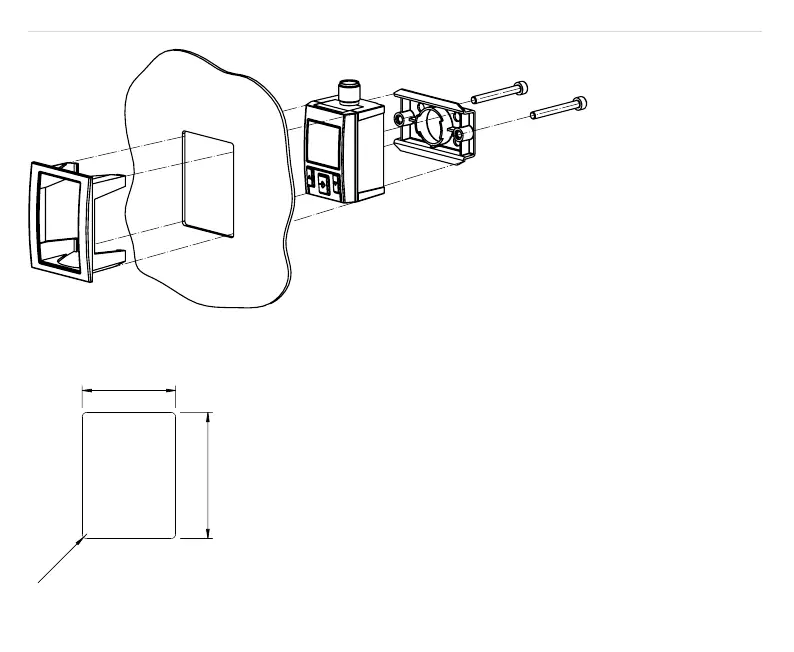
Figure 8: Switch panel mounting set
40
0
54
+
3
0
Figure 9: Opening in the switch panel
•
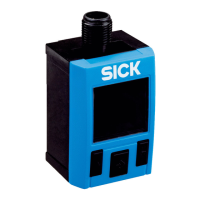
Insert the switch panel mounting frame into the switch panel from the
outside.
•
Secure the xing element in the mounting rail support for the pressure
switch.
•
Insert the pressure switch into the switch panel mounting frame support
from behind until you can see and feel it lock into place.
•
Carefully tighten the two xing screws as far as possible and secure the
xing screws (4 Ncm) using the counter nuts.


 To Next Page