EasyManua.ls Logo

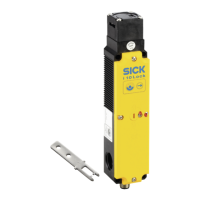
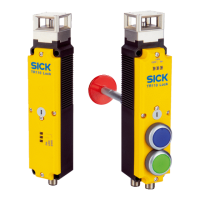
SICK TR110 Lock - User Manual

SICK TR110 Lock
68 pages
Print Icon
To Next Page IconTo Next Page
Loading...
O P E R A T I N G I N S T R U C T I O N S
TR110 Lock
Safety locking device

Questions and Answers

  • A
    Andre WolfAug 2, 2025
    What to do if SICK TR110 Lock Locks protective device is not effective?
    • J
      Joseph DavisAug 2, 2025
      If the SICK Locks protective device is not effective, immediately shut the machine down if its behavior is unclear. If you cannot clearly identify or safely fix the error, immediately stop using the machine. Also, secure the machine to prevent unintentional activation.
  • W
    walkerlindaAug 16, 2025
    Why do SICK TR110 Lock have an error during teach-in?
    • J
      Jessica BerryAug 16, 2025
      An error during teach-in with SICK Locks may occur if the actuator was removed from the response range before the teaching operation ended, or if a defective actuator was detected.

Summary

Safety Information

General Safety and Intended Use

Essential guidelines for correct configuration and operation by qualified personnel.

Personnel Qualification

Details necessary expertise for project planning, installation, commissioning, and operation.

Product Description

Project Planning

Manufacturer and Operator Obligations

Outlines responsibilities and safety measures for machine manufacturers and operators.

Electrical Control System Integration

Explains how to integrate the device into control systems, including locking functions.

Testing Plan

Outlines procedures for testing the safety locking device after installation and periodically.

Mounting

Electrical Installation

Safety, cULus Notes, and Connection Prerequisites

Critical safety, cULus compliance, and connection prerequisites for safe installation.

Safe Series Connection

Explains the setup and limitations of connecting multiple devices in series.

Commissioning

Switching On and Initial Teach-in

Procedures for powering up the device and teaching the first actuator.

New Actuator and Series Teach-in

Guides for teaching subsequent actuators and in series connections.

Functional Testing

Detailed steps for mechanical and electrical functional tests after installation.

Regular Checks and Monitoring

Procedures for periodic checks and monitoring to ensure ongoing safety and function.

Operation

Troubleshooting

Safety and System Status Interpretation

Critical safety warnings and how to interpret system status indicators and LEDs.

Technical Data

SICK TR110 Lock Specifications

General IconGeneral
BrandSICK
ModelTR110 Lock
CategoryLocks
LanguageEnglish

Related product manuals