SR882 operation manual
~ 24 ~
►Press “+” “-” button to adjust minute of time.
►Repress “SET” button, “15 Min” of pump stop time blinks on screen.
►Press “+” “-” button to adjust pump stop time
►Press “ESC” to exit this set program, parameters are saved automatically
----------------------------------------------------------------------------------------------------------------------
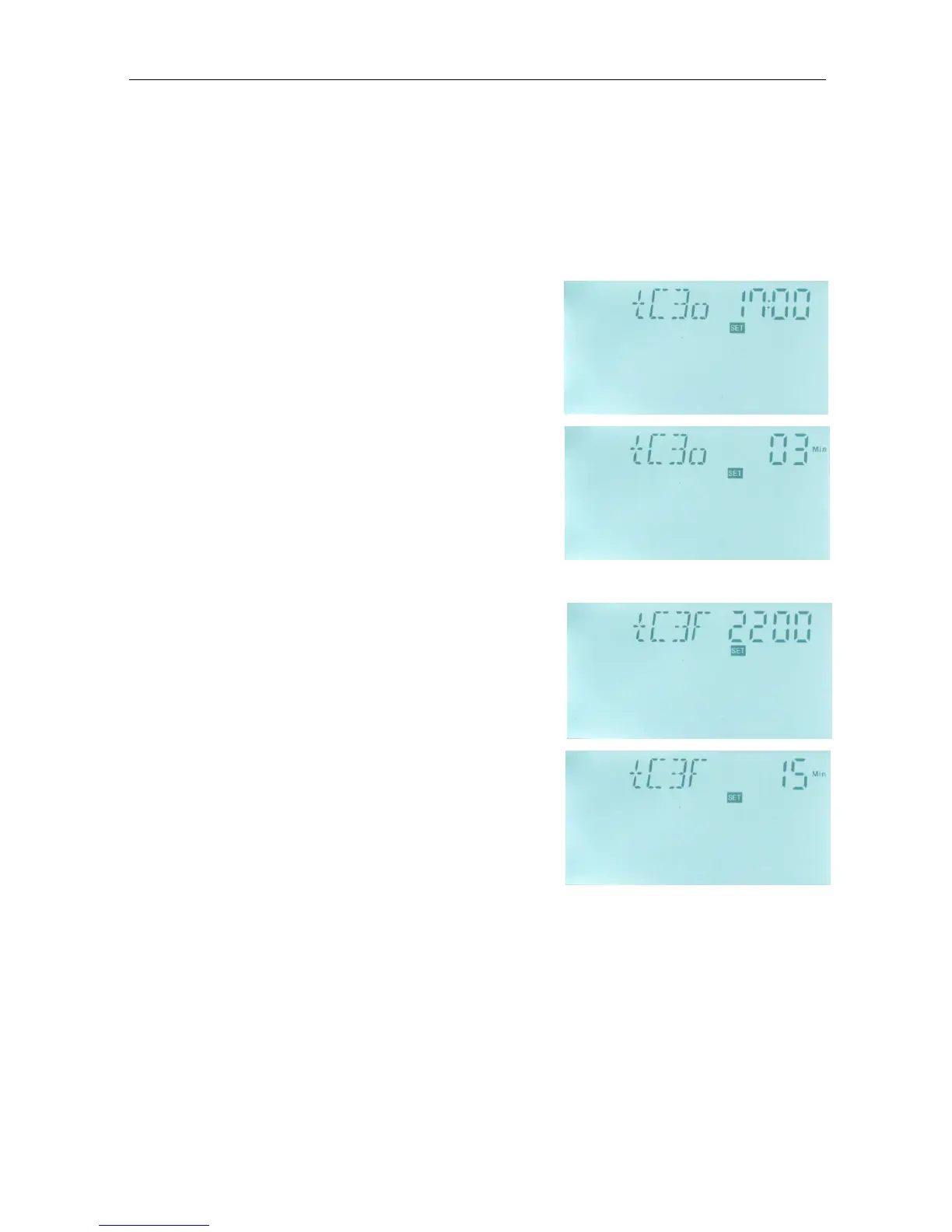
►Press “+” button, “tC 3o 17:00”appears, now can set the third turn-on time.
►Press “SET” button again, “17” of hour time blinks on
screen.
►Press “+” “-” button to adjust hour of time.
►Repress “SET” button, “00” of minute time blinks on
screen.
►Press “+” “-” button to adjust minute of time.
►Repress “SET” button, “03 Min” of pump running time
blinks on screen.
►Press “+” “-” button to adjust pump running time
► Press “ESC” to exit this set
► Press “+” button, “tC 3F 22:00”appears, now can set the third turn-off time.
► Press “SET” button again, “22” of hour time blinks on
screen.
►Press “+” “-” button to adjust hour of time.
►Repress “SET” button, “00” of minute time blinks on
screen.
►Press “+” “-” button to adjust minute of time.
►Repress “SET” button, “15 Min” of pump stop time
blinks on screen.
►Press “+” “-” button to adjust pump stop time
►Press “ESC” to exit this set program, parameters are
saved automatically
Description of temperature controlled DHW pump:
Solar system can provide temperature-controlled hot water circulation function; this function
needs an extra hot water circulation pump (connect output port P2) and a sensor, which is
installed on the return pipe of hot water (connect input port T4). When the temperature
signal of sensor T4 is less than the preset turning on temperature of DHW pump, the hot
water circulation pump (P2) triggers and works till the temperature exceeds the turning off
temperature.


 To Next Page