10
Last update: 03.2014
KFVkeyless
Operating instructions
3.2.2 Deleting a mobile phone
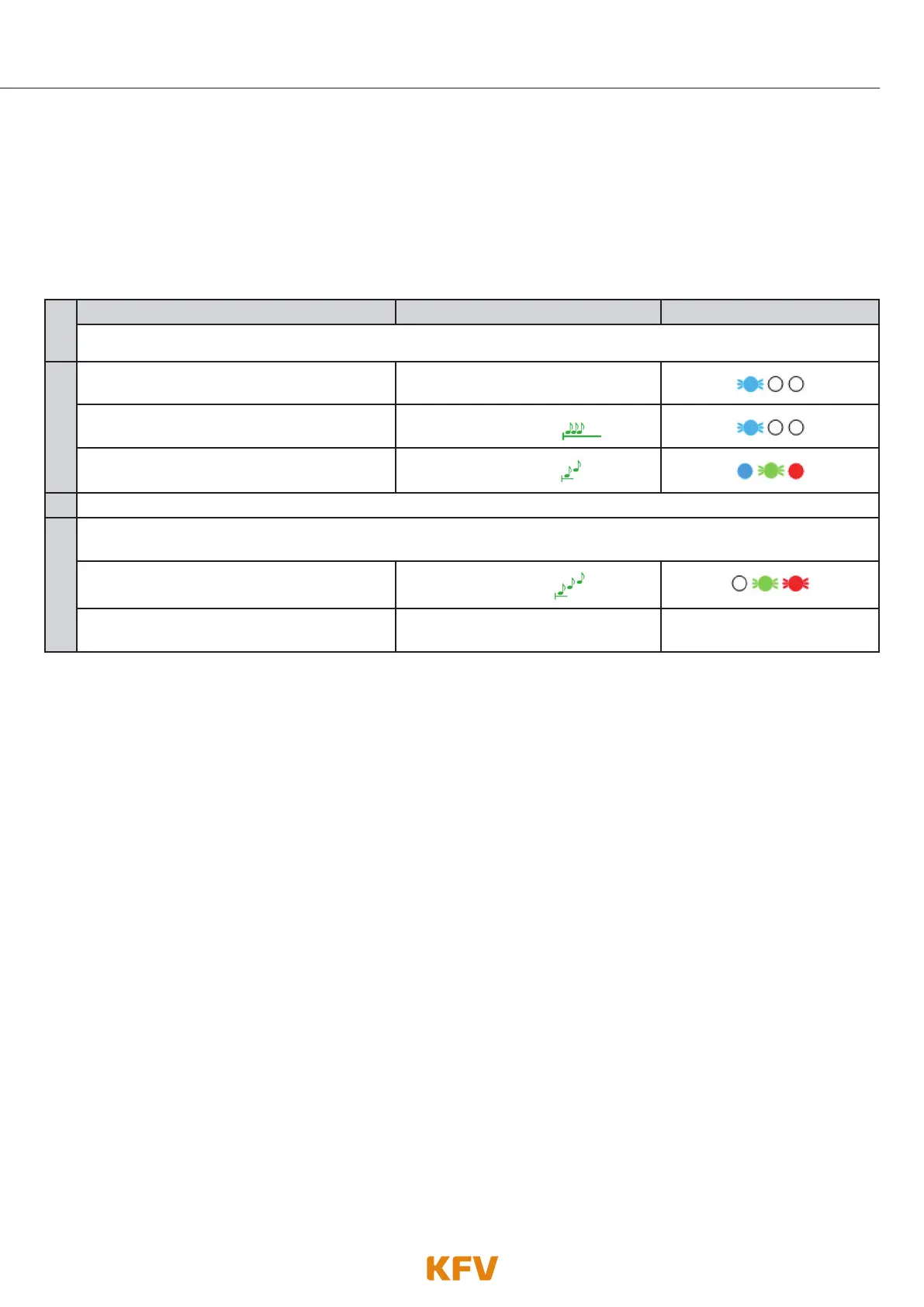
To delete a mobile phone, follow the steps specified in the following table or use the app
(see chapter 5.4.7).
Note: Deleting the connection with the "KFVkeyless" device in the Bluetooth settings on your mobile phone
is not enough to delete the mobile phone properly from the module. You will find more information on
this in chapter 3.2.4.
1.
Deleting a mobile phone Beeper Lighting
Switch on Bluetooth on the mobile phone.
2.
Enter 6-digit Door PIN on the keyboard.
Confirm procedure with OK.
Depending on the mode selected
The programming mode initialises itself.
Single prolonged
high-pitched beep
The programming mode is active.
2 ascending tones
3.
Search for the "delete.KFVkeyless" device in the Bluetooth settings on your mobile phone and select it.
4.
Connect your mobile phone to "delete.KFVkeyless". To do this, type in the Delete PIN and confirm with
OK. The Delete PIN is specified on the label included in the delivery.
The mobile phone has been successfully
deleted.
3 ascending tones
The programming mode has been exited
automatically.
----------- -----------
3.2.3 Deleting all mobile phones
A Factory Default (complete deletion of memory) can be carried out to delete all mobile phones and simulta-
neously reset all settings. See chapter 7 "Reset" for further information.



 To Next Page