21Last update: 03.2014
Operating instructions
KFVkeyless
8 Frequent problems with the application
You receive an error message while teaching in your Smartphone
This is an error in the Bluetooth menu of your Smartphone. In this case, you need the app to teach in the
Smartphone (see chapter 5). If you set up a door in the app, your Smartphone will automatically be taught
in as mobile phone user (see chapter 5.2)
You are unable to teach in yourself as a mobile phone user as you are already connected with the module?
Disconnect yourself from KFVkeyless in your Bluetooth settings. You can reconnect yourself again.
You always receive a pairing request if you reach the range of the module?
In this case, the connection between the module and your mobile phone has only been deleted in the mobile
phone but not in the module. See chapter 3.2.4. for further information.
Your keyboard code has not been accepted?
This can be due to two reasons. Your keyboard code is either blocked (see chapter 5.4.6.) or the buffer on
the KFVkeyless is not empty. In this case, you must press the "X" button on the keypad before you enter the
code.
The keyboard code no longer reacts after the input of several wrong coded?
If 30 digits that do not represent a known code are typed in, the keypad will freeze for 5 seconds.
If 30 unknown digits are typed in again after this, it will be blocked for a further 10 seconds, then for
30 seconds and finally for 60 seconds. As soon as a digit sequence, which represents a known code
(e.g. keypad code), is typed in, this is reset and in the event of a renewed lock, this would start again
with 5 seconds.
What should be considered when replacing the device?
If the device is replaced, it is essential that the complete hardware (KFVkeyless module and relay cable)
are replaced as these are interconnected.
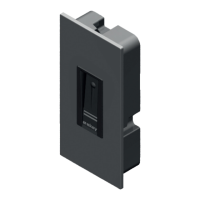
9 Technical specifications
Supply voltage
9 to 24V DC or 9 to 12V AC (approx. 40 mA)
Relay output
Non-isolated input (supply voltage)
Detection range
adjustable (short, medium, far, maximum)
Operating temperature
-20 °C to +60 °C
Casing dimensions
91.5 x 45.5 x 16 mm (HxWxD)
Front panel dimensions
94 x 48.5 mm (HxW)
Standard colour of front
panel
Silver
Protection class/installation
IP54/ installed in door leaf
Memory slots
24 code users / 6 Bluetooth users + 18 code users
10 Technical hotline KFV
Tel.: +49 2051 278-0 E-Mail: info@kfv.de



 To Next Page