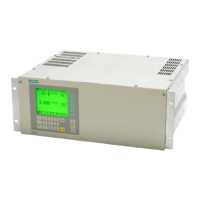
9200 Features Guide
18
Read-Write Control Map
Notes
1. Manufacturer’s identification is the serial number of the meter. It has the format of the
YYMM##### where YY and MM represent the manufacture date.
2. Identifies the Original Equipment Manufacturer (OEM).
3. Options codes identify meter options. To see a table that cross-references Options
Cards and options codes, refer to the 9200 Options Card Retrofit Instructions.
4. Number of seconds that the meter has been powered up.
5. Device identification.
6. PVS = Programmable Voltage Scale. Ensure that scaling is compatible with the
expected register value; this provides maximum resolution and prevents register
overflow.
44025 Protocol Enumerated
1 =
MODBUS
0 = PML
1 = MODBUS
See note 13.
44026 Unit ID UINT16 x1
100 plus
the last 2
digits of
the Man.
ID #
1 – 247
44027 RTS Delay UINT16 x1 20
0 – 1000 milliseconds
See note 14.
44028 Display Scroll Time UINT16 x1 0
0 – 30 seconds
See note 15.
44029
Display Refresh
Period
UINT16 x1 2
1 – 6 seconds
See note 16.
44030 PT Scale
Enumer-
ated
0 = x1
0 = x1
1 = x1000
Modbus Addr
17
Meter Control Format Scale Description
42001 Energy Reset UINT16 x1
Reset MWh, MVAh, and
MVARh to 0.
42002 Peak Power Demand Reset UINT16 x1
Reset MW, MVA, and
MVAR peak demand to 0.
42003 Peak Current Demand Reset UINT16 x1 Reset I peak demand.
42004 Digital Output #1 UINT16 x1 Refer to “Digital Output
Control” in the 9200
Installation and Basic
Setup Instructions.
42005 Digital Output #2 UINT16 x1
Modbus
Addr
Meter Configuration Format Scale Default Description



 To Next Page
 Loading...