Commissioning
3.2 First commissioning
Cabinet Modules Operator Panel AOP30
18 Operating Instructions, 04/2014, A5E03263551A
First commissioning
Start screen
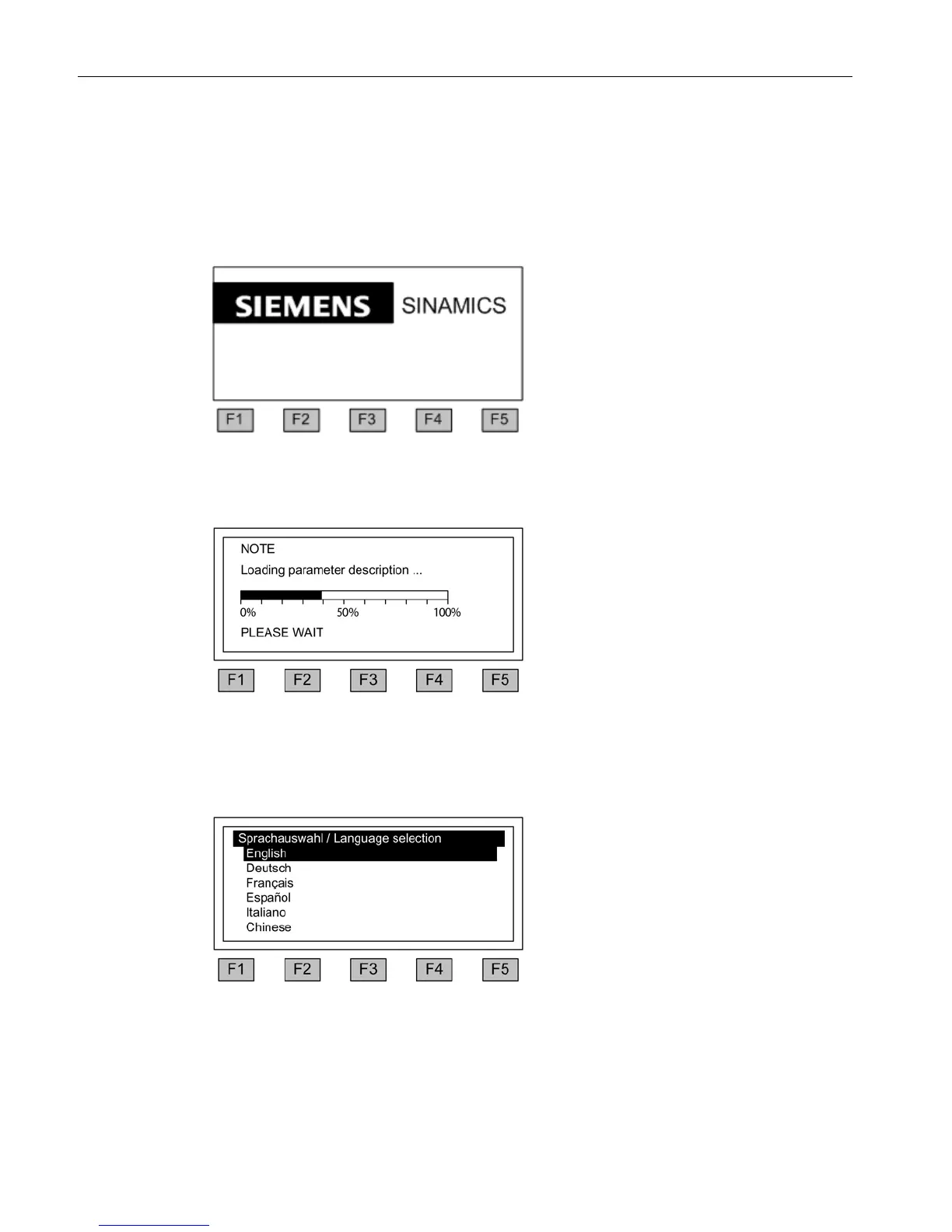
When the system is switched on for the first time, the Control Unit is initialized automatically.
The following screen is displayed:
Figure 3-1 Initial screen
While the system is powering up, the parameter descriptions are loaded into the operator
panel from the memory card.
Figure 3-2 Load the parameter descriptions while booting up the system
When the system is first booted up, a screen for selecting the language appears.
can select the language in the dialog
To change the language, choose <F2> or
<F3>.
To select the language, choose <F5>.
Once the language has been selected, the booting up process continues.
Once the system has successfully ramped up, initial commissioning must be performed
when the system is switched on for the first time after it has been delivered. The converter
can then be switched on.
Operation can be directly assumed when subsequently starting.







 To Next Page