Commissioning
3.4 Initial commissioning
Cabinet Modules Operator Panel AOP30
24 Operating Instructions, 04/2014, A5E03263551A
Active Line Module
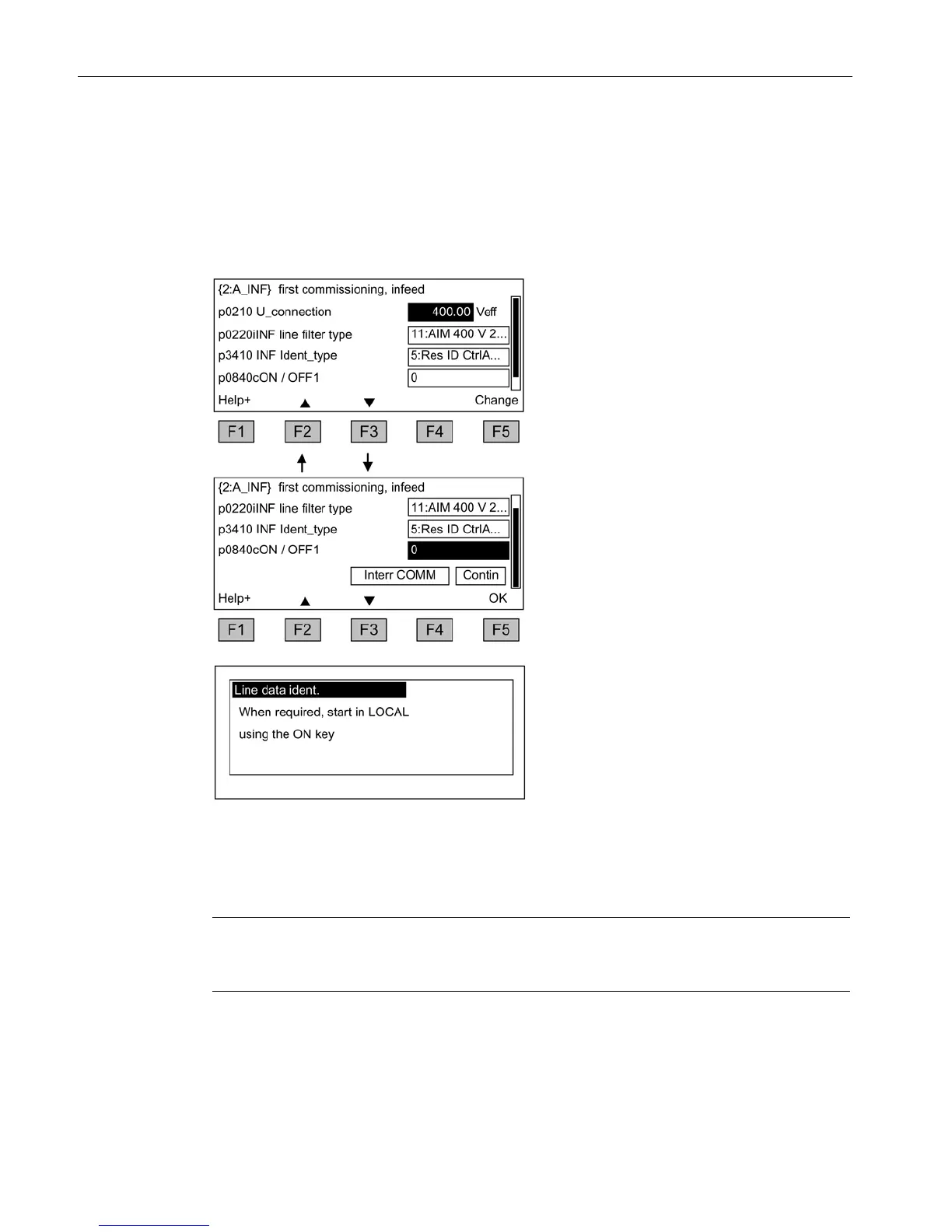
First commissioning: infeed
Table 3- 4 Entering the infeed data
Input of the supply voltage in V
Selection of the Active Interface Modules,
the default setting should not be
changed.
Select the line identification (do not
change the default setting).
Input of the source of the ON/OFF1
command.
Navigate within the selection fields with
<F2> and <F3>.
Activate your selection with <F5>.
Once you have entered the final value,
choose "Continue"
To start the line identification process, press
the "ON" key in LOCAL mode.
First commissioning: motor
Note
The steps described below also apply to commissioning a drive in the VECTOR type of
operation.







 To Next Page