Commissioning
3.3 Loading the firmware
Cabinet Modules Operator Panel AOP30
20 Operating Instructions, 04/2014, A5E03263551A
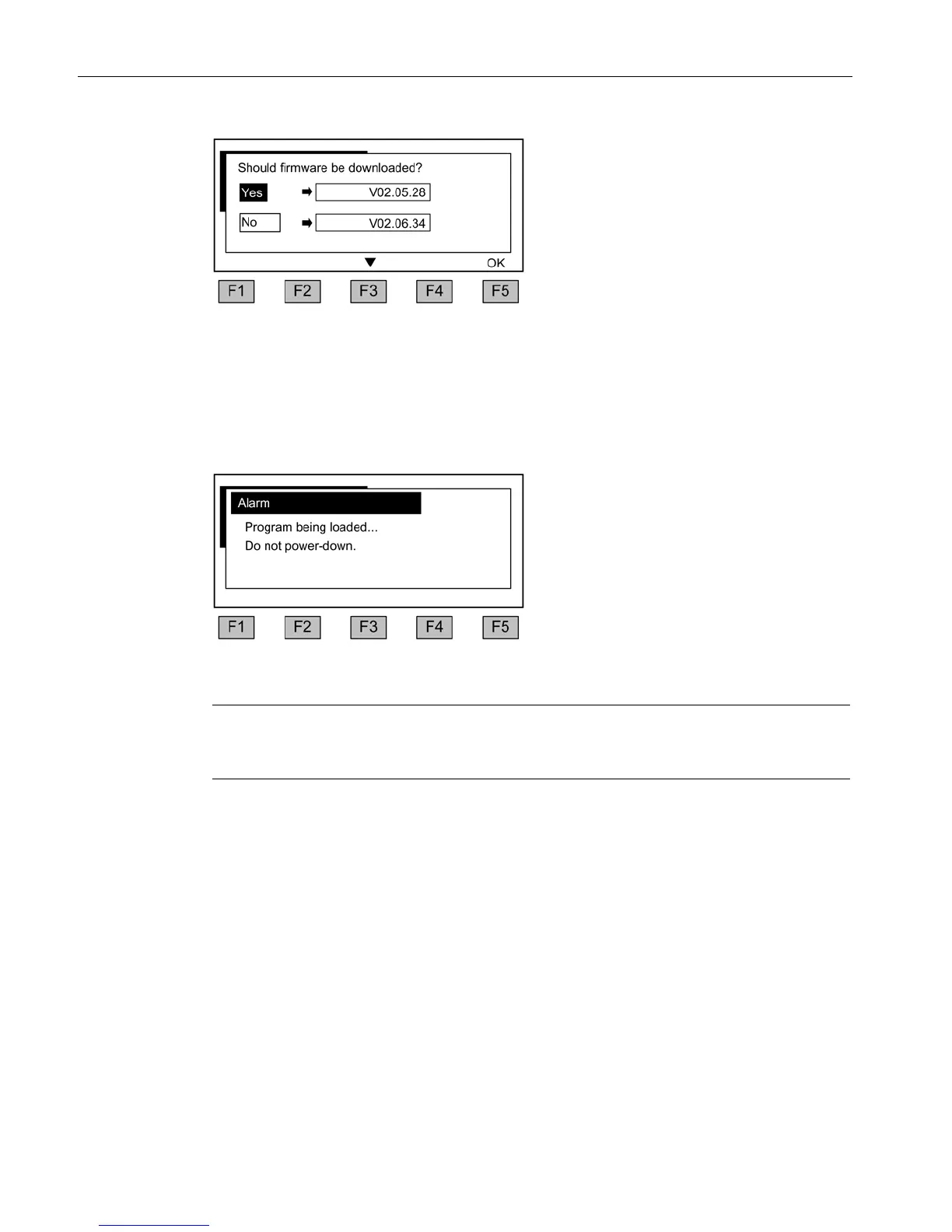
Figure 3-4 Selection of firmware version (version on the memory card is older than the AOP
version)
You should answer this prompt with "YES" in order to match the functionality of the AOP30
to that of the firmware version on the memory card.
The firmware will then be downloaded automatically to the operator panel. The message box
below is displayed to indicate the download process.
Figure 3-5 Firmware being loaded
Note
If the firmware download is not successful, you can perform the process manually → see
section "Maintenance and Servicing"







 To Next Page