Control via the operator panel
4.4 Menu: Parameterization
Cabinet Modules Operator Panel AOP30
Operating Instructions, 04/2014, A5E03263551A
41
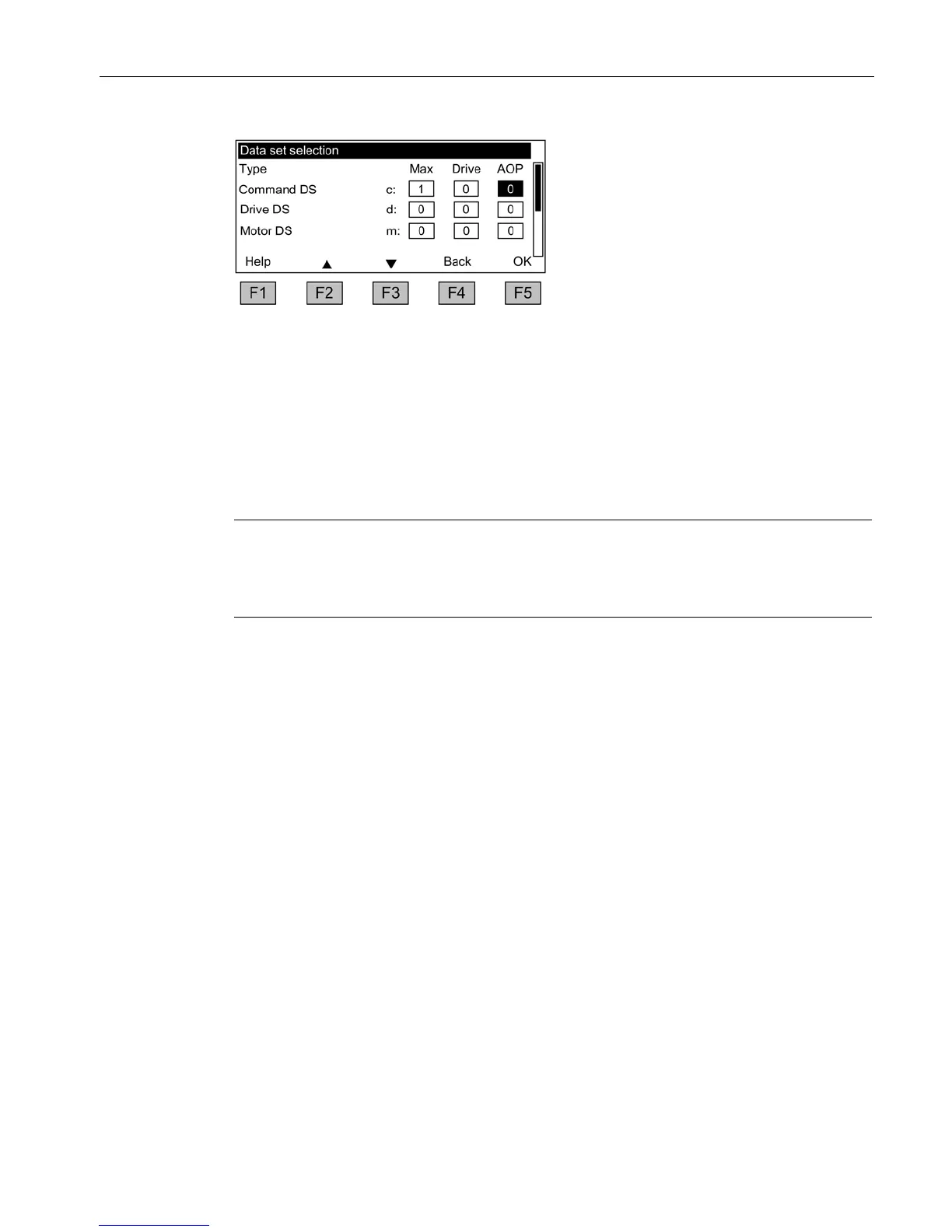
Figure 4-5 Data set selection
Explanation of the operation screen:
● "Max" shows the maximum number of data sets parameterized (and thereby available for
selection) in the drive.
● "Drive" indicates which data set is currently active in the drive.
● "AOP" indicates which particular data set is currently being displayed on the operator
panel.
Note
Permanent parameter transfer
The procedure for "permanent parameter transfer" is described at the end of this chapter,
refer to section → "Permanent storage of parameters".







 To Next Page