Control via the operator panel
4.6 Menu commissioning / service
Cabinet Modules Operator Panel AOP30
46 Operating Instructions, 04/2014, A5E03263551A
In this menu, you set the lighting, brightness, and contrast for the display.
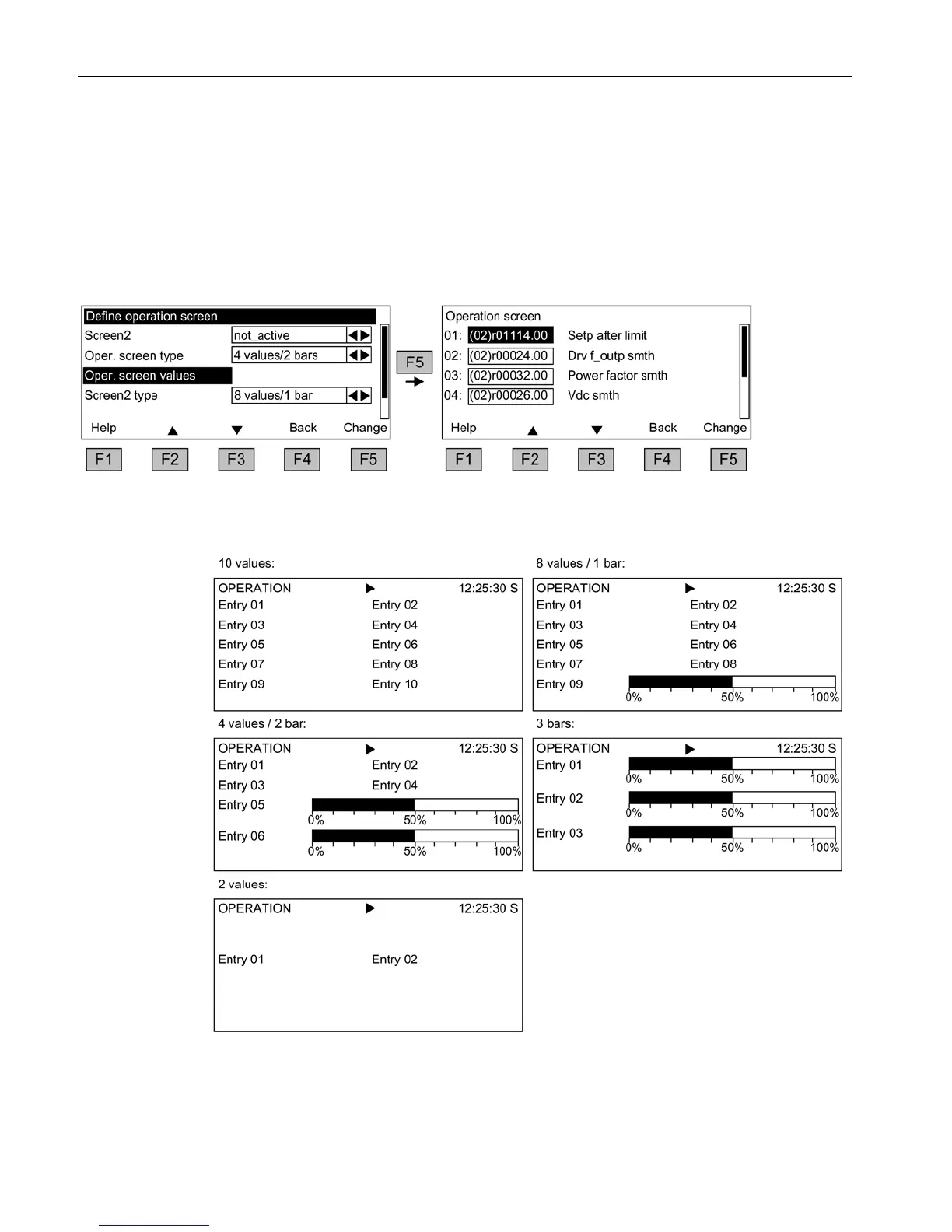
In this menu, you can switch between five operation screens. You can set the parameters
that are to be displayed.
Figure 4-8 Define operation screen
The following image shows how the entries are assigned to the screen positions:
Figure 4-9 Layout of the entries in the operation screen







 To Next Page