EasyManua.ls Logo

Siemens AOP30 - Page 48

Siemens AOP30
74 pages
Print Icon
To Next Page IconTo Next Page
To Previous Page IconTo Previous Page
Loading...
Control via the operator panel
4.6 Menu commissioning / service
Cabinet Modules Operator Panel AOP30
48 Operating Instructions, 04/2014, A5E03263551A
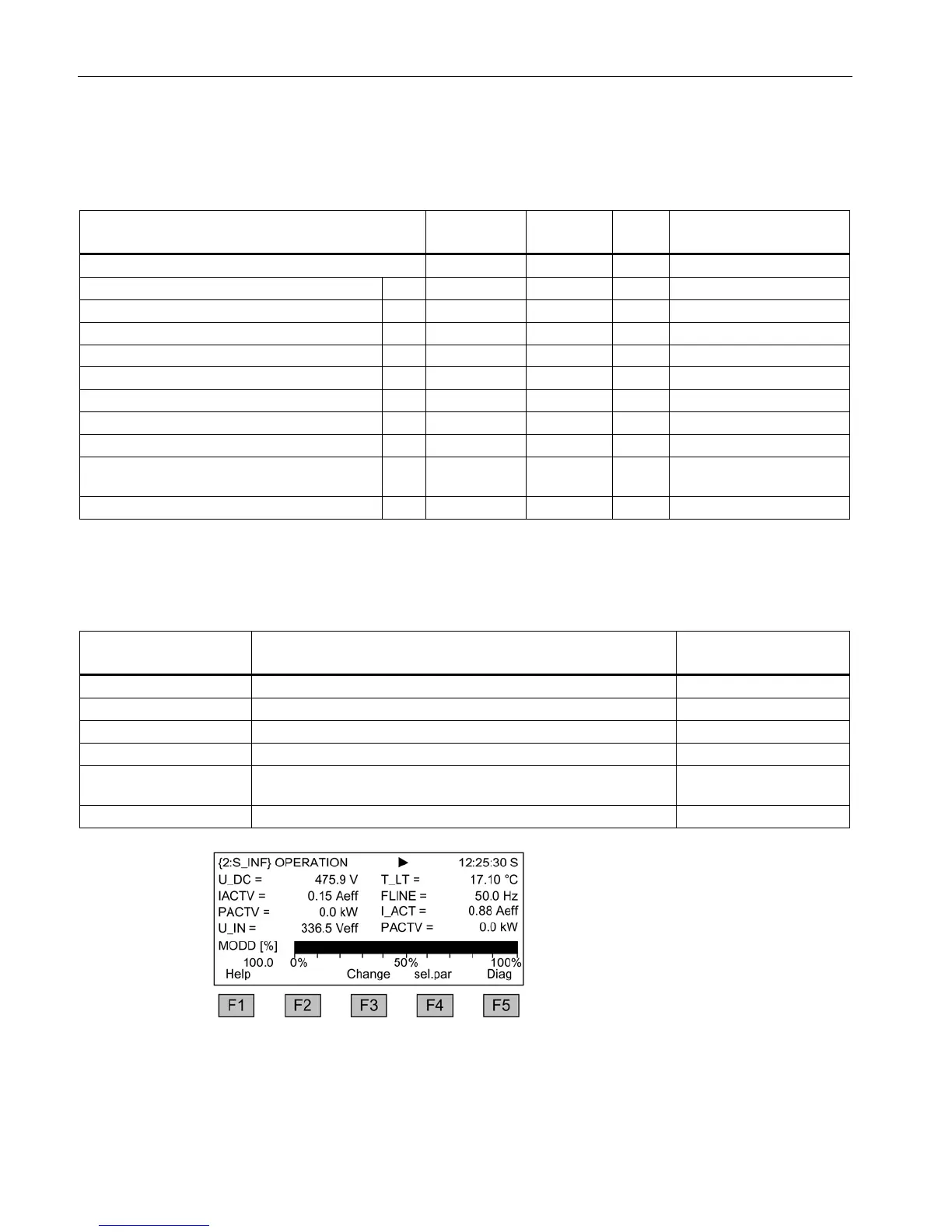
Object S_INF
Table 4- 3 List of signals for the operation screen - object S_INF
Signal
Parameter
Short name
Unit
Normalization (100%=...)
see table below
Factory setting (entry no.)
DC-link voltage smoothed
(1)
r0026
U_DC
V
p2001
Temperature of power unit
(2)
r0037
T_LT
° C
p2006
Active current (3)
r0030 IACTV A p2002
Line frequency
(4)
r0024
FLINE
Hz
p2000
Active power (5)
r0032 PACTV kW r2004
Actual value of current
(6)
r0027
I_IST
A
p2002
Input voltage
(7)
r0025
U_IN
V
p2001
Active power
(8)
r0032
PACTV
kW
r2004
Modulation depth, smoothed (9)
r0028 MODD % Reference modulation
depth
Reactive current component smoothed
(10)
r0029
IREAC
A
p2002
Normalization for object S_INF
Table 4- 4 Normalization for object S_INF
Variable
Normalization parameters
Default for quick commis-
sioning
Reference frequency
100% = p2000
p2000 = p0211
Reference voltage
100% = p2001
p2001 = r0206/r0207
Reference current
100% = p2002
p2002 = r0207
Reference power
100% = r2004
r2004 = r0206
Reference modulation
depth
100% = Maximum output voltage without overload
Reference temperature
100% = 100 °C
Figure 4-11 Operation screen - example of infeed via a Smart Line Module

Related product manuals