FCM2041-U3 OPERATOR INTERFACE MANUAL | CHAPTER 2
REPORT MODE2-12
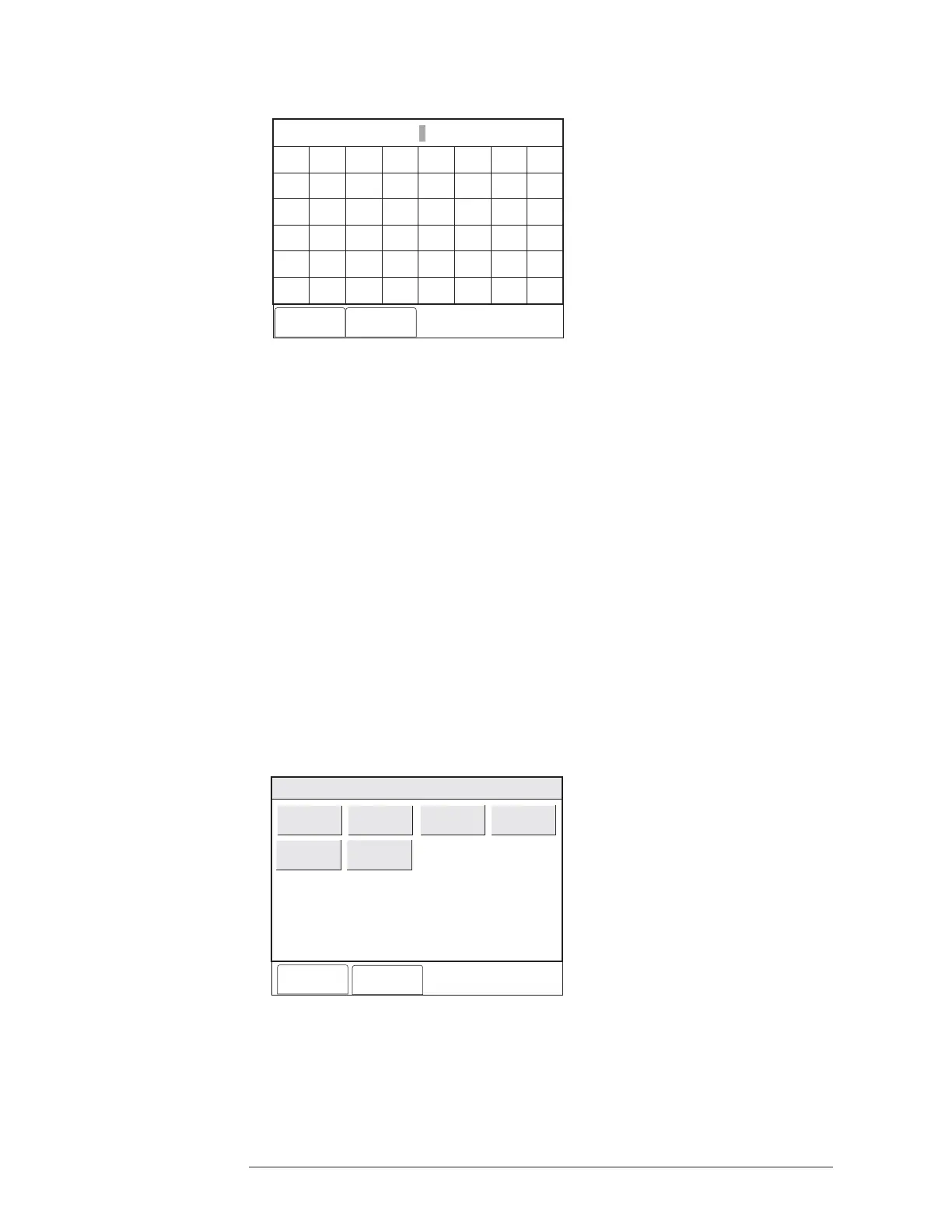
Enter Time/Date: 14:41:01 07/11/02
Cancel Done
A
F
K
P
U
Z
B
G
L
Q
V
*
C
H
M
R
W
#
D
I
N
S
X
Bksp
E
Del
J
O
T
Y
Clr
0
2
4
6
8
1
3
5
7
9
CAPS
<
>
Spc
Figure 2-17
Enter Time / Date Screen
When the time and date are correct, press the Done soft key. Touch the box labeled
“List Type” to narrow the scope of the report. Then choose one of the following report
types (See Figure 2-18):
• Alarm: Displays Alarm events only.
• Supervisory: Displays Supervisory events only.
• Security: Displays Security events only.
• Trouble: Displays Trouble events only.
• All Queues: Displays only events present on Alert screen, including Alarm,
Supervisory, etc.
• All Non-Events: Displays all other recorded information, other than events
displayed on Alert screen.
• MNS1
• MNS2
• MNS Trouble
• Building Safety
• Gas
• Emergency
Cancel
Done
Menu:Report:History:Settings:List Type
PHY:FireFinder@1
All Queues
Alarms
All Non Events
Supervisories
Securities
Troubles
Figure 2-18
List Types Screen


 To Next Page
 Loading...