FCM2041-U3 OPERATOR INTERFACE MANUAL | CHAPTER 3
MAINTENANCE MODE3-2
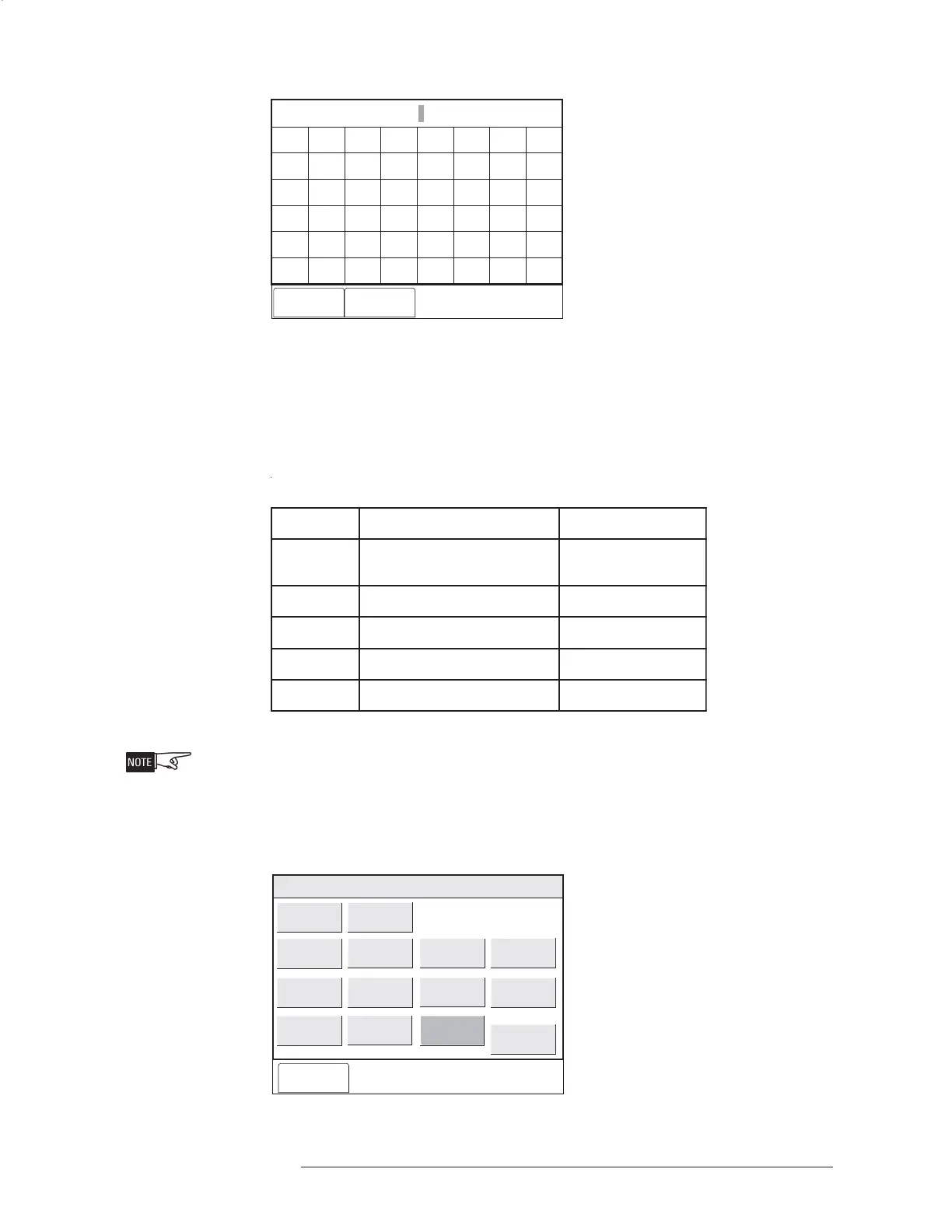
Enter Password:
Cancel Done
A
F
K
P
U
Z
B
G
L
Q
V
*
C
H
M
R
W
#
D
I
N
S
X
Bksp
E
Del
J
O
T
Y
Clr
0
2
4
6
8
1
3
5
7
9
CAPS
<
>
Spc
Figure 3-1
Enter Password Screen
User passwords can be changed in the Zeus Programming Tool. There are five levels
of passwords for OI access, as shown in the table that follows.
SLEVELDROWSSAP
leveL:otsseccasedivorPesU
1
,ecneliS,egdelwonkcA
teseR,ecnelisnU
lanoitpO
2syeKnoitcnuFlanoitpO
3s
tropeRlanoitpO
4tsetklaWderiuqeRsyawlA
5uneMecnanetniaM/lortnoCderiuqeRsyawlA
The password will time out after five minutes of inactivity in the Control menu.
When the password is accepted, the screen displays several options which can be
selected using the Touch Screen. See Figure 3-2.
Cancel
Menu:Maint:Control
PHY:FireFinder@1, DLC@1, HFP11@2
Disarm
Arm
Time/Date:
Bypass ASD
Enable ASD
Change ASD
Change Sens
Clear History
Disable History
Enable History
Activate
Deactivate
Set Volume
Clean
Figure 3-2
Maintenance:Control Options


 To Next Page
 Loading...