EasyManua.ls Logo

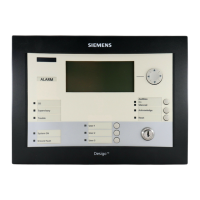
Siemens FT2010 - User Manual

Siemens FT2010
40 pages
Print Icon
To Next Page IconTo Next Page
Loading...
FT2010
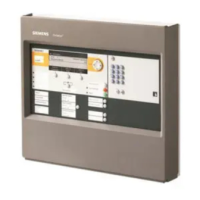
Floor repeater terminal
Operation Manual
MP7/IP7
009310_l_en_
--
Building Technologies
2018-08-29 Control Products and Systems

Other manuals for Siemens FT2010

Questions and Answers

  • C
    Courtney CraigAug 2, 2025
    What to do if there is a mains failure with Siemens FT2010?
    • J
      jessebrooksAug 2, 2025
      If there is a mains failure in the public network when using Siemens Touch terminals, no action is needed. The emergency power supply is ensured by batteries for a minimum of 12 hours, and up to 72 hours depending on the customer specification. If the fuse is damaged, check the fuses (current distributor of the building) and replace them if necessary.
  • D
    Dana AbbottAug 11, 2025
    What to do if the automatic detector is missing in Siemens Touch terminals?
    • N
      Nicholas DiazAug 11, 2025
      If the automatic detector is missing from your Siemens Touch terminals, re-insert the 'Detector'. If the 'Detector' is defective, replace it with a replacement detector of the same type. Be cautious when replacing the 'Detector'; always use the same type.
  • P
    Patricia LopezAug 22, 2025
    What to do if the glass pane is broken on Siemens FT2010 Touch terminals manual call point?
    • A
      Alan DavisAug 22, 2025
      If the glass pane is broken on the manual call point of your Siemens Touch terminals, replace the glass pane. For other damages, contact your service provider.

Summary

Safety

Safety Instructions and Symbols

Explains safety notices, danger symbols, and signal words for risk.

Risk and Property Damage Presentation

Details how WARNING, NOTICE, and CAUTION symbols are presented.

Electrical Installation Safety Regulations

Outlines safety regulations for electrical installations and connections.

Installation, Testing, and Modification Safety

Covers safety for mounting, testing operability, and system modifications.

PMI

PMI Component Identification and Diagram

Illustrates the PMI and identifies its numbered components.

PMI Component Descriptions

Details the function of each numbered component on the Person Machine Interface.

PMI Buttons and Display Layout

Explains navigation, configurable buttons, and display areas.

PMI Key Switch and LED Indicator Meanings

Describes the key switch operation and LED color meanings.

Operation

6.1 ALARM Procedure Overview

Introduces the steps for handling an alarm condition.

Detailed Alarm Procedure and Incident Classification

Provides step-by-step alarm handling and major/minor incident decisions.

Fault Handling Procedures and Acknowledgement

Details procedures for faults, intervention concepts, and fault acknowledgement.

Alarm verification concept (AVC)

Faults; Troubleshooting

Fault Identification, Causes, and Remedies

Lists common faults, their causes, and methods for elimination.

Siemens FT2010 Specifications

General IconGeneral
Resolution800 x 600 pixels
Power Supply24 V DC
Protection ClassIP65 (front)
DisplayTFT
Touch TechnologyResistive
ProcessorIntel Atom
Interfaces2x USB, 1x RS232
Operating SystemWindows Embedded Standard
EnclosureAluminum front, plastic back
Operating Temperature0 to 50 °C

Related product manuals