Plant type (application), Control Sequence and other control parameters ([Pxx]
description) can be downloaded.
For more details on control parameters, see Control parameters [➙ 138].
● ETS version 4 or higher is used to assign communication objects to group
addresses (S-Mode)
● ETS version 4 or higher is used to download the application and parameters
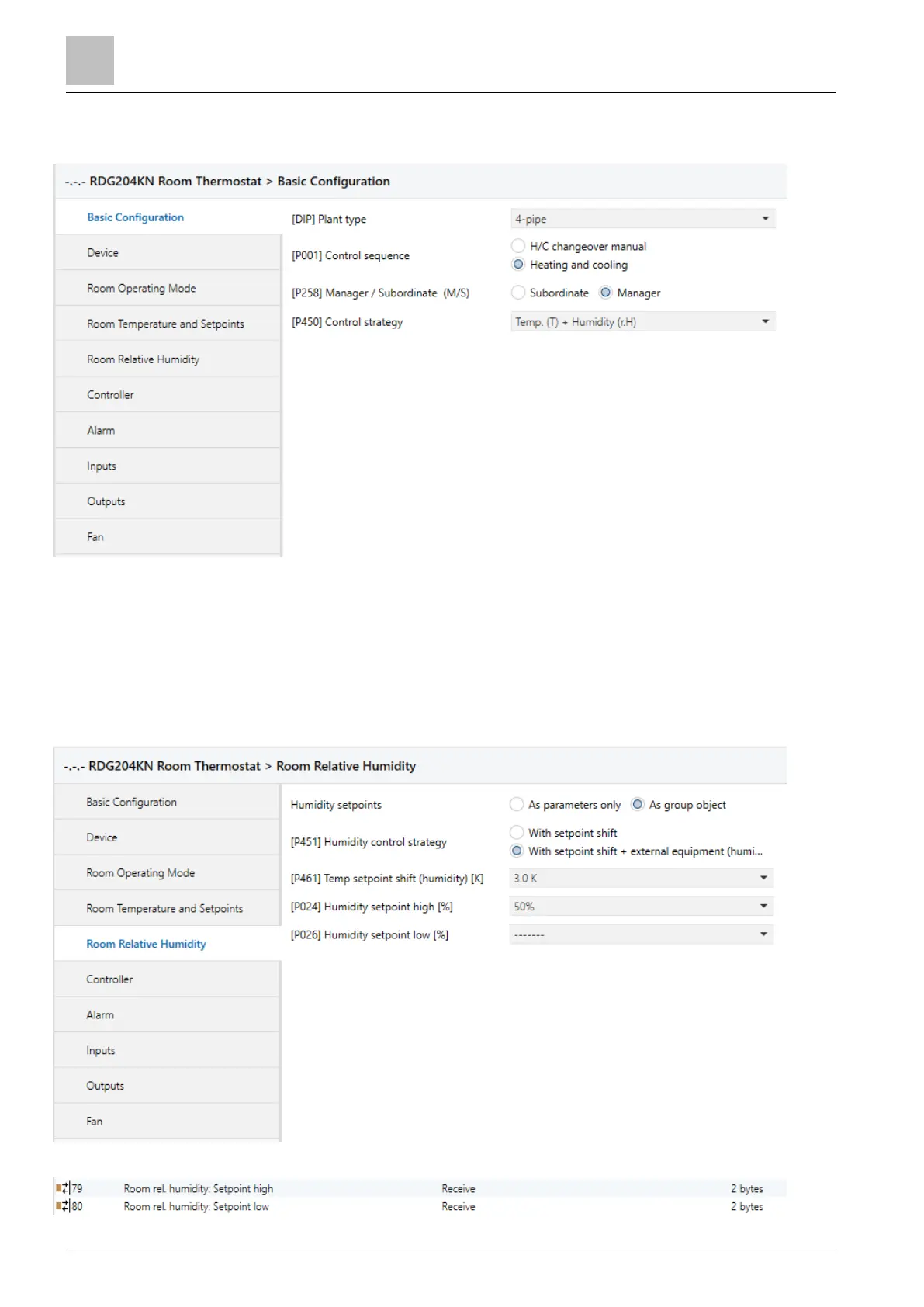
Select Room relative humidity in the left pane to display humidity parameters.
Adjust the parameters as needed. See Control parameters [➙ 138] for more
details on control parameters.
Select as group object in checkbox Humidity setpoints, to display the S-Mode
humidity setpoint in the Group Objects tab as follows:


 To Next Page
 Loading...