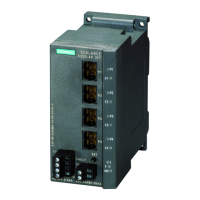
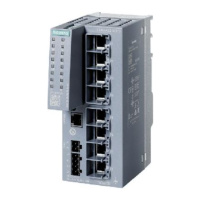
SCALANCE XR-500
Operating Instructions, 05/2017, A5E03275845-11
3
1 Introduction ............................................................................................................................................. 5
2 Safety notes ............................................................................................................................................ 9
2.1 Security recommendations ..................................................................................................... 11
3 Description of the device ....................................................................................................................... 17
3.1 Product overview .................................................................................................................... 17
3.1.1 Permitted ambient temperature .............................................................................................. 19
3.1.2 Accessories ............................................................................................................................. 20
3.1.2.1 Accessories for the SCALANCE XR-500 product line ............................................................ 20
3.1.2.2 Additional accessories for modular devices ........................................................................... 23
3.1.3 Accessories SFP+ cable ......................................................................................................... 24
3.2 SELECT/SET button ............................................................................................................... 25
3.3 LED display ............................................................................................................................. 28
3.3.1 The "RM" LED for the "redundancy manager" function .......................................................... 28
3.3.2 The "SB" LED for the standby function ................................................................................... 28
3.3.3 The "F" LED for the fault status .............................................................................................. 28
3.3.4 "DM1" and "DM2" LEDs for the display mode ........................................................................ 29
3.3.5 "L1" and "L2" LEDs for the power supply ............................................................................... 29
3.3.6 Port P1, P2, ... LEDs for the port status.................................................................................. 31
3.4 C-PLUG / KEY-PLUG ............................................................................................................. 32
3.4.1 Function of the C-PLUG/KEY-PLUG ...................................................................................... 32
3.4.2 Removal and insertion of the C-PLUG/KEY-PLUG ................................................................ 34
3.5 Combo ports ........................................................................................................................... 35
4 Assembling ........................................................................................................................................... 37
4.1 Safety notices for installation .................................................................................................. 37
4.2 Types of installation ................................................................................................................ 40
4.3 19" rack mounting ................................................................................................................... 40
4.4 Desktop operation with adhesive feet ..................................................................................... 43
4.5 Four-point mounting ................................................................................................................ 44
4.6 Plugging and pulling MM900 media modules ......................................................................... 47
4.7 Inserting and removing pluggable transceivers (SFP/SFP+) ................................................. 50
4.7.1 Notes on inserting/removing pluggable transceivers .............................................................. 50
4.7.2 Inserting a pluggable transceiver (SFP/SFP+) ....................................................................... 51
4.7.3 Removing a pluggable transceiver (SFP/SFP+) ..................................................................... 51
4.8 Mounting power supply units .................................................................................................. 52
4.8.1 19" rack mounting of the PS598-1 power supply unit ............................................................. 52
4.8.2 Mounting the PS598-1 power supply unit on the rear panel of modular device ..................... 53



 To Next Page
 Loading...