Installing and connecting
2.4 Connecting the field bus to the active field distributors AFD4 / AFD4 (FM) / AFD8
Active field distributors AFD4, AFD4 (FM), AFD8 and AFS
20 Product Information, 02/2015, A5E03775304-AC
Connect the wires of the bus cables using the screw-type terminals on the terminal block.
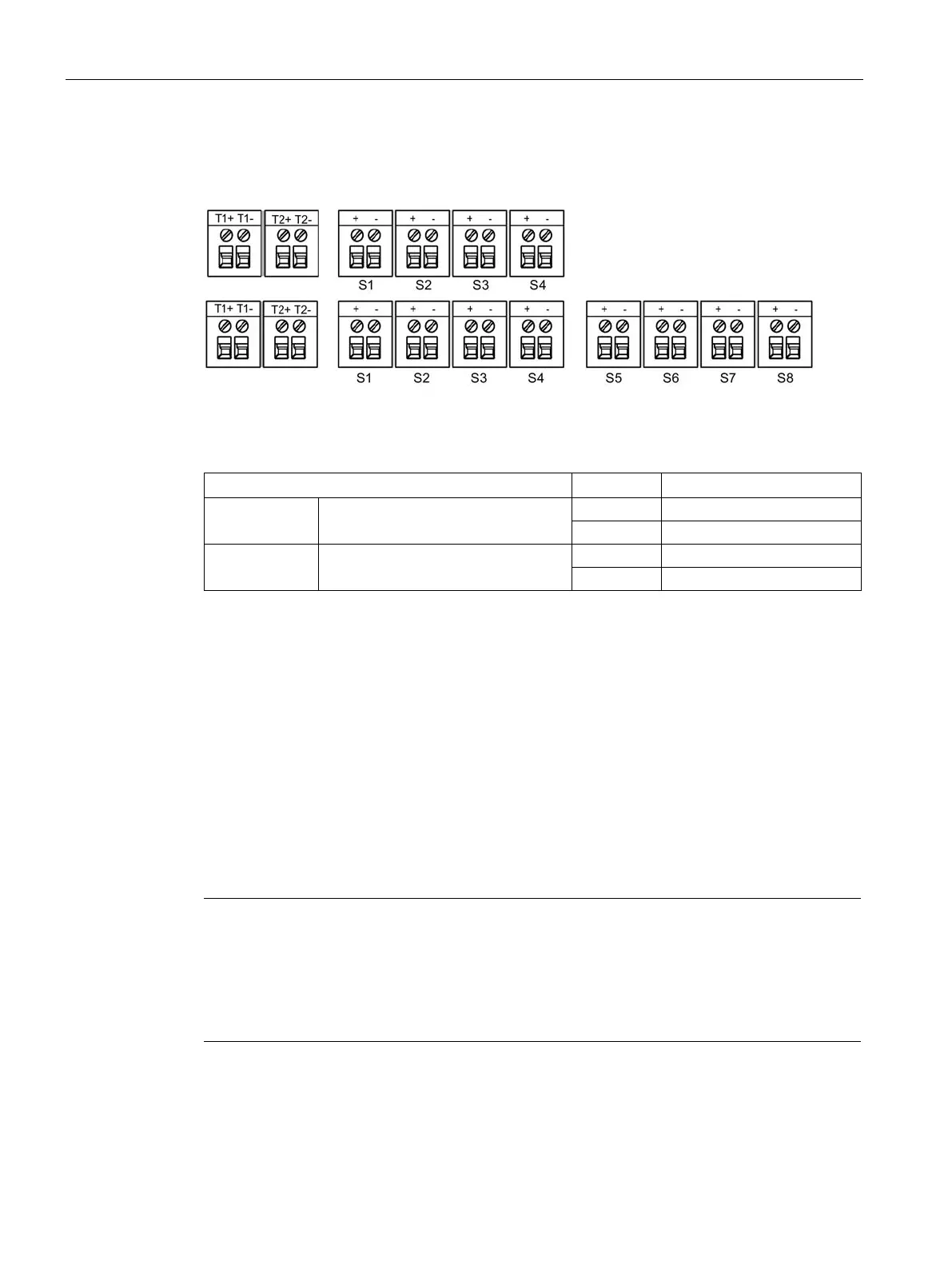
Figure 2-8 Terminal block AFD4 / AFD4 (FM) / AFD8
Table 2- 1 Terminal assignment on the active field distributor AFD4 / AFD4 (FM) / AFD8
T1, T2 Main line
S1 to S4 / S8 Spur line to the field devices
1. Prepare the bus cable.
2. Connect the bus cable:
– Open the field distributor.
– Connect the wires to the terminal block.
– Close the field distributor.
Preparation of the AFD4 (FM)
Note
Replace blanking caps with UL
- or CSA-approved lead-throughs for connection of additional
The customer must use a screwed gland and a cable as specified for the application
according to
NEC and CEC. The installation must conform to the relevant requirements of
the National Electrical Code® (ANSI/NFPA
-70 (NEC®).
● Active field distributor is mounted and grounded.



 To Next Page