SIMATIC IOT2050 Starterkit
Product Information, 06/2021, A5E50831253-AA
23
Requirement
• The device is disconnected from the power supply.
Installation
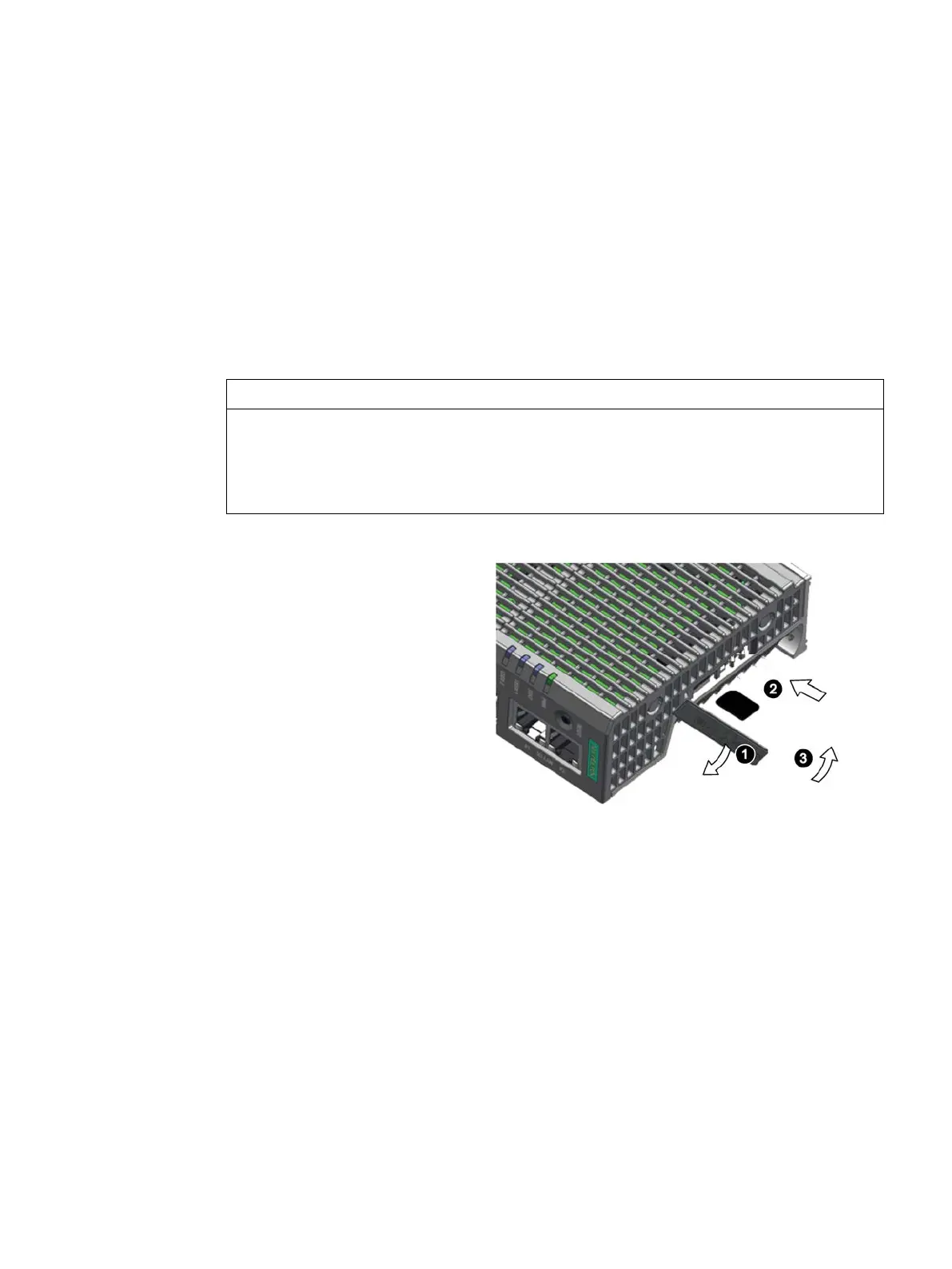
Inserting the Micro SD card
If you are using the Micro SD card in a device installed in a system, you must observe the
safety regulations for work on electrical systems.
Carefully insert the Micro SD card into the card holder without applying excess force.
Open the card cover on the
bottom.
Push the Micro SD card correctly
into the supporting frame. The
contacts of the Micro SD card must
point in the direction of the
motherboard.
Push the card cover back.





 To Next Page