16 Your Device
LCD
If the LCD is not lit, see “Turning Your Device On” on page 13.
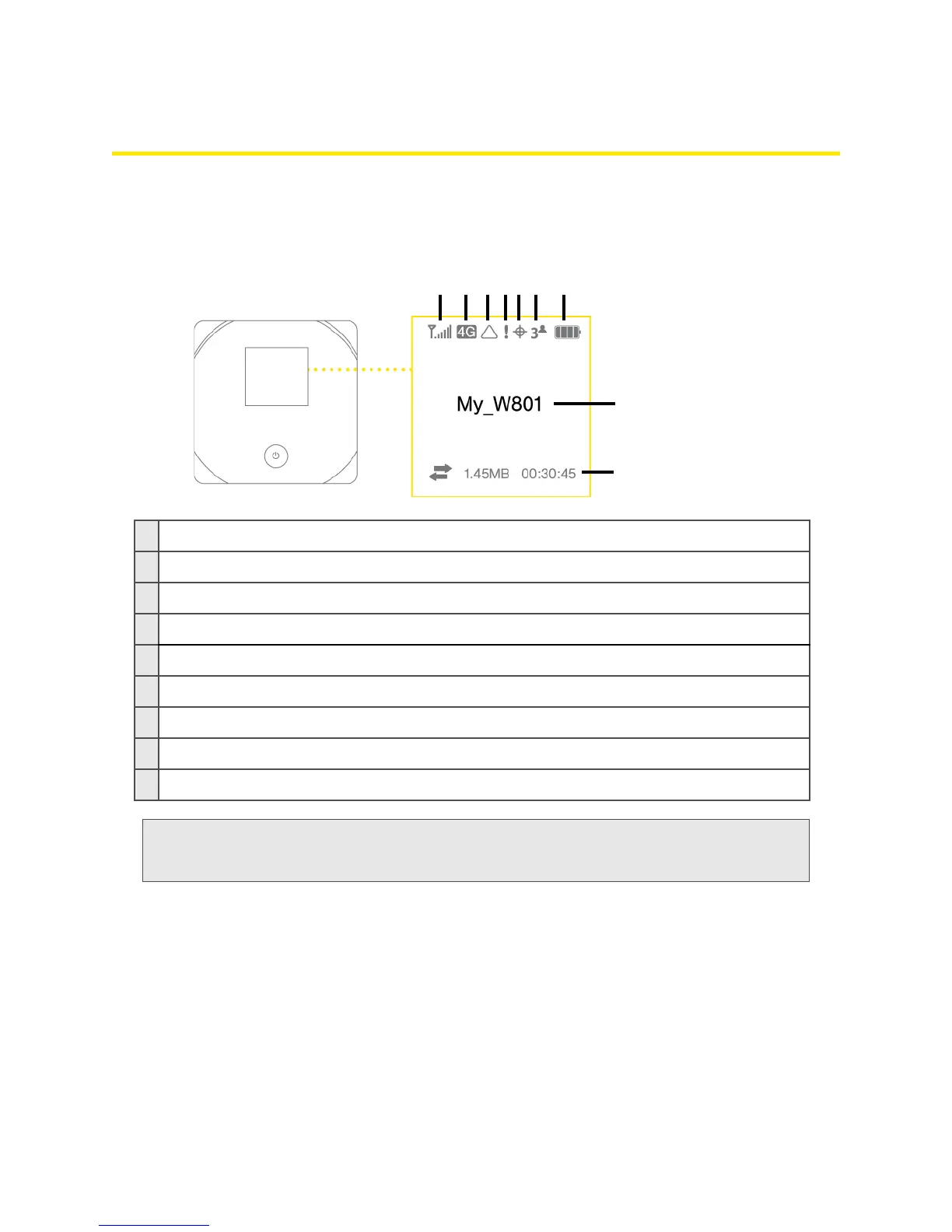
Interpreting the LCD
The LCD shows icons and text that reflect the status of the device and your connection.
A
Signal strength
B
3G/4G status
C
Roaming indicator
D
Alerts
E
GPS
F
Number of Wi-Fi users
G
Battery status
H
Device name. Message area.
I
Amount of data transferred; connection duration. Message area.
Tip:
Most of the LCD icons and messages are also shown on the Virtual Device and Mini Window. (See
“Virtual Device” on page 32 and “Mini Window” on page 32, and “Messages Displayed on the
Device LCD” on page 125.)



 To Next Page