SMAC User Manual
Sify Technologies Limited, 2011 © Copyright Protected Page 23
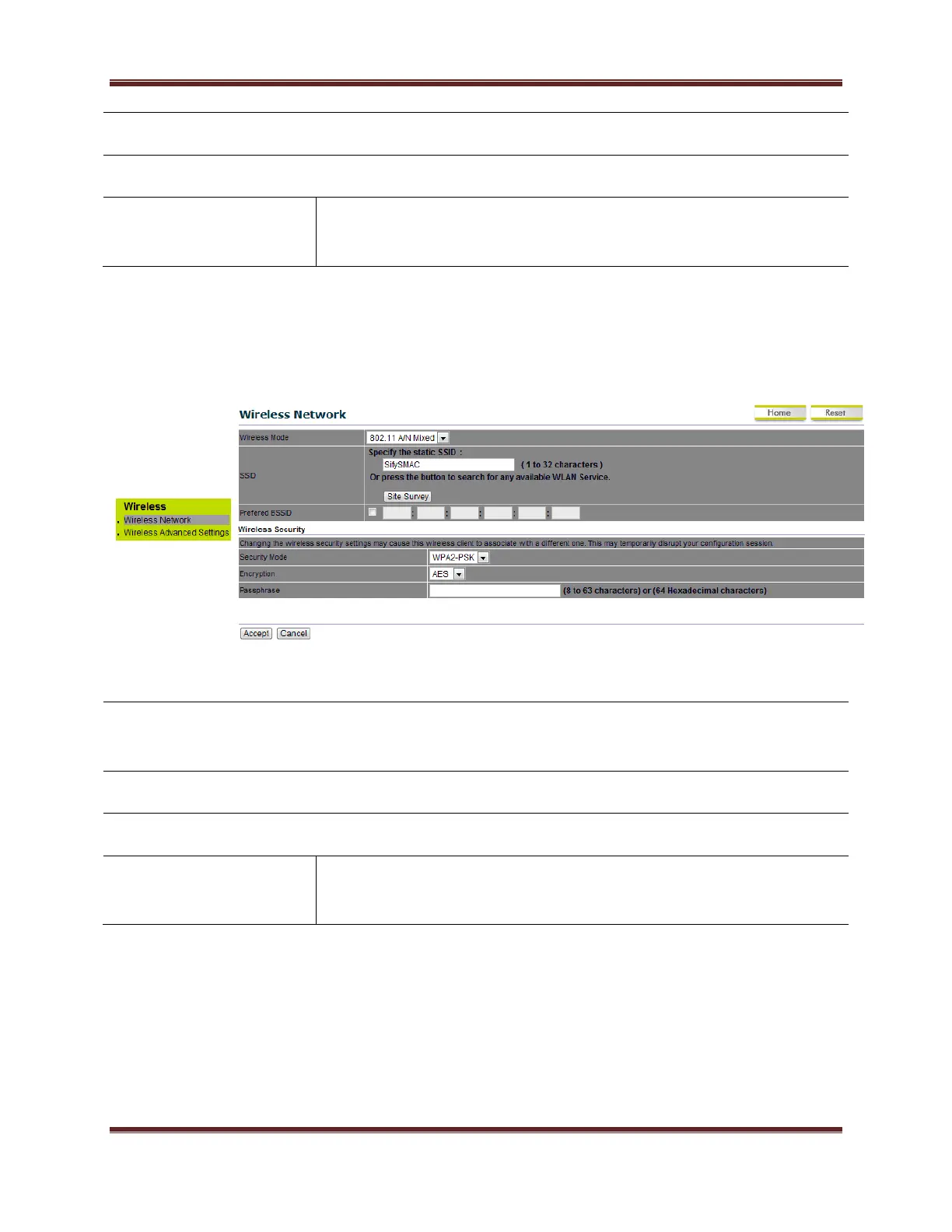
Advanced Encryption System.
Specify the security password.
64 Hexadecimal characters password length.(minimum 8
characters)
For Outdoor Subscriber:
Under Wireless Click wireless Network
Select WPA-PSK from the drop down list to begin the
configuration.
Select AES for Encryption type.
Specify the security password.
64 Hexadecimal characters password length.(minimum 8
characters)
5.3 Wireless MAC Filter
Wireless MAC Filters is used to Allow or Deny wireless clients, by their MAC addresses, accessing
the Network. You can manually add a MAC address to restrict the permission to access
SMAC5800. The default setting is Disable Wireless MAC Filters.



 To Next Page