SMAC User Manual
Sify Technologies Limited, 2011 © Copyright Protected Page 34
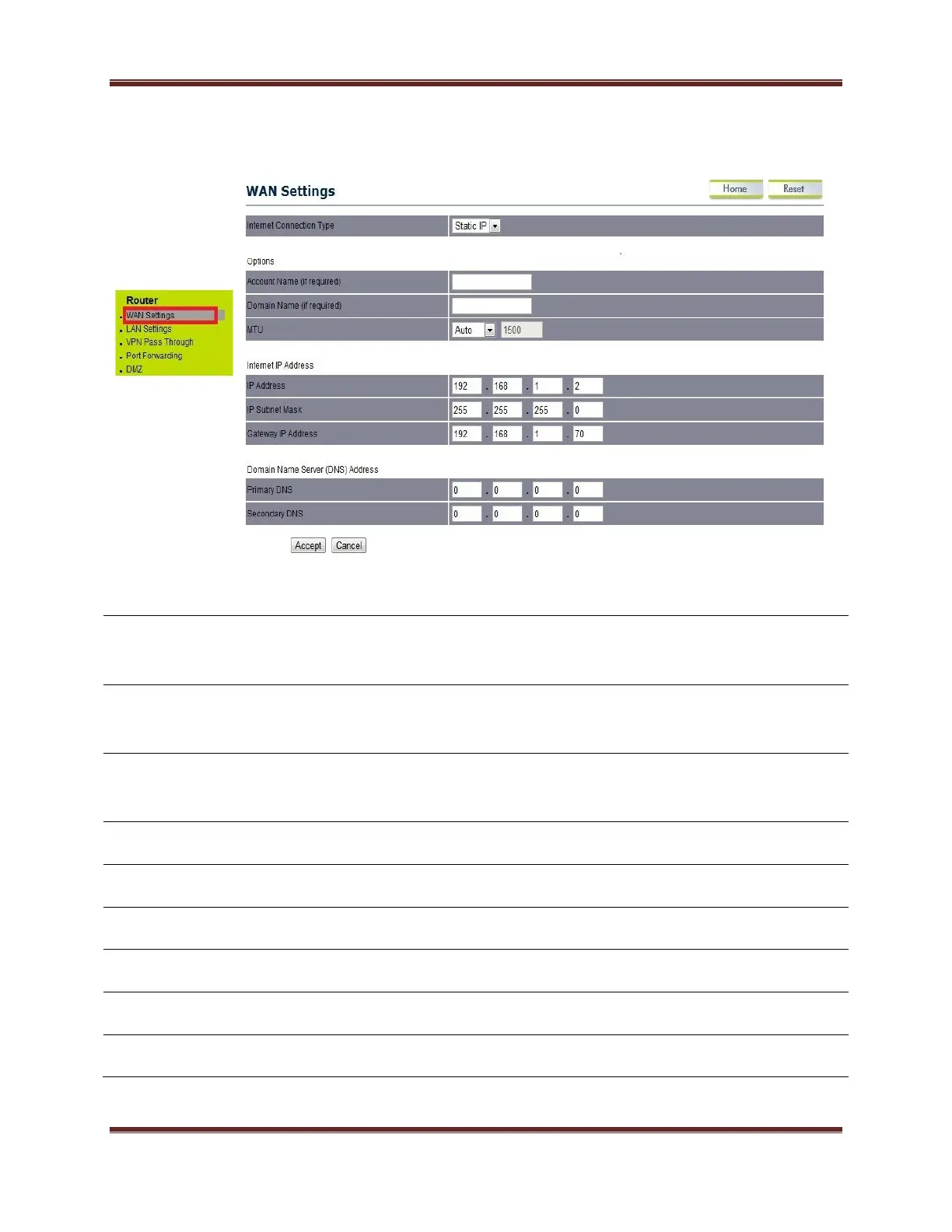
Click on the WAN Settings option under the Router menu for configuring the
Wireless IP address.
Specify the Internet connection type from the drop down menu.
Default is Static IP.
Account Name (If
required)
Specify the Account Name if required.
Specify the Domain Name if required.
Specify the MTU value. Suggest remain in Auto configuration
Specify Gateway IP address.
Specify Primary DNS server IP address
Specify Secondary DNS server IP address



 To Next Page