Operating Manual SIGMA 4-15C, page 70 of 95
03/06
6.1.2 Save a Program
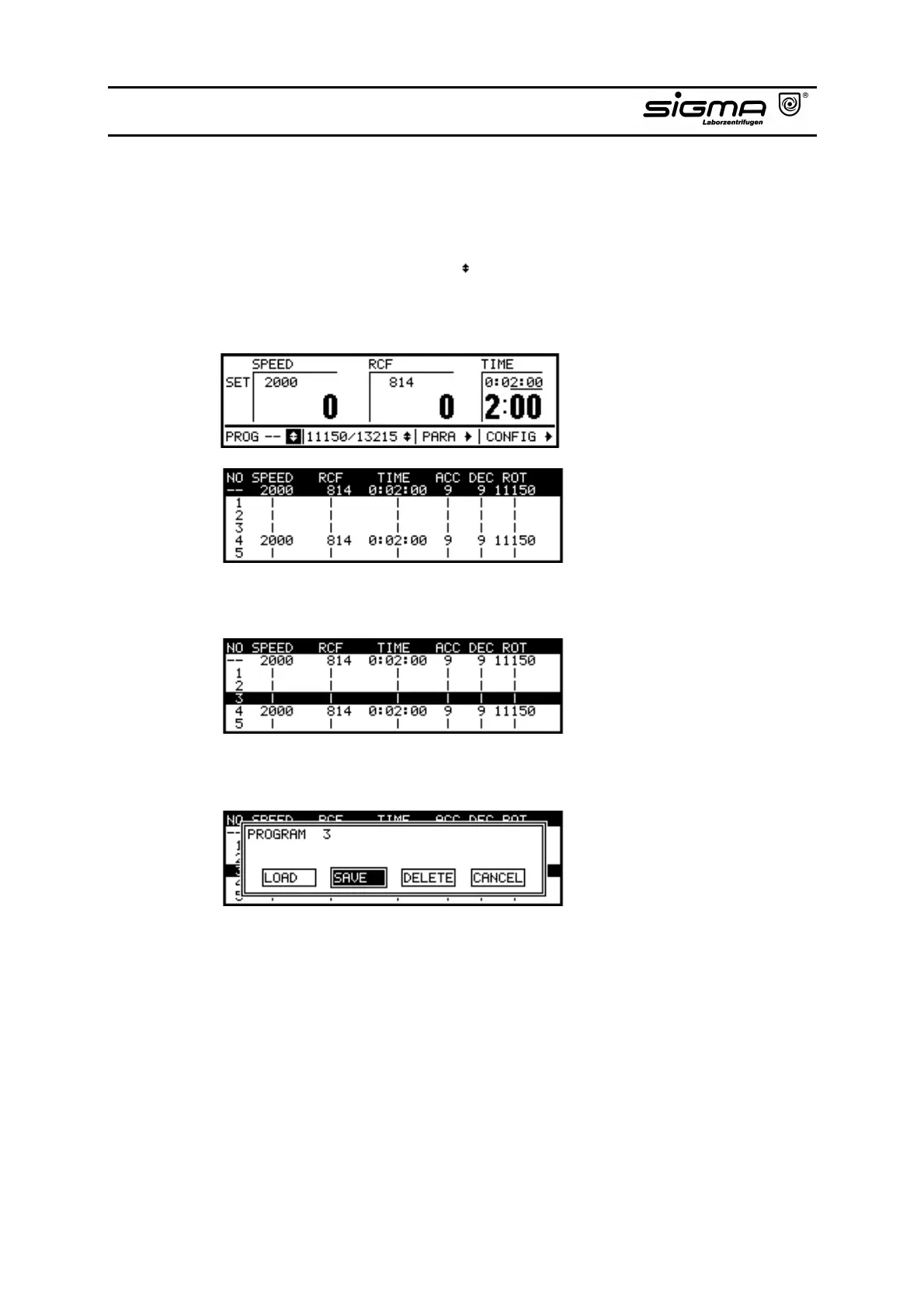
If you want to save an actual program:
• Select the program selection ( ) list by turning the knob and activate it by
pressing the knob to get a view over all programs in the memory and the free
positions in the list.
Program selection list
• Select the desired program position in the list by turning the knob.
• After pressing the knob a dialogue window appears. Select "SAVE" and
confirm it by pressing the knob.
Dialogue window



 To Next Page