114
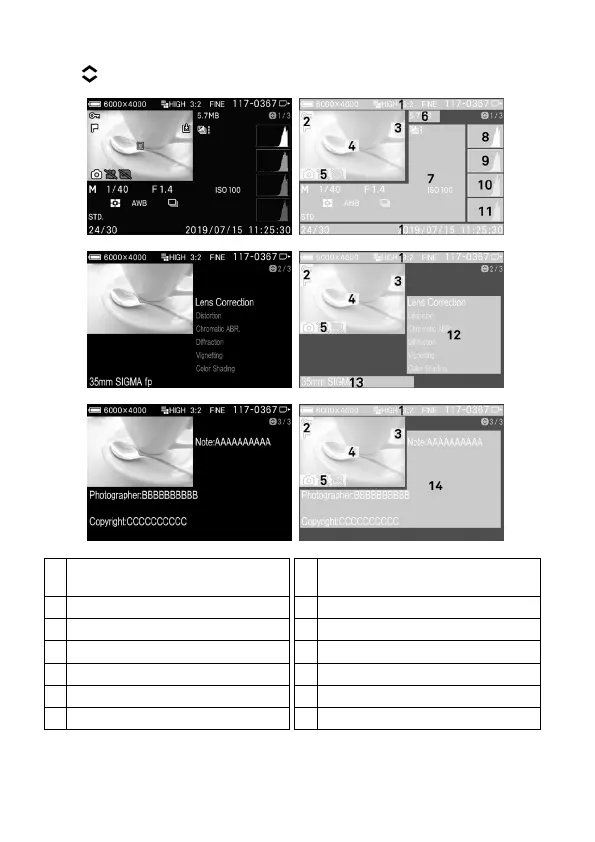
The Image Information screen has three pages. To switch pages, press
the
buttons or flick (drag) up and down on the touch panel.
1/3
2/3
3/3
1
Same as single-image playback
[Display Date and Time].
8
Histogram (Brightness)
In-camera DNG Development
Filter Files to Display *
Focal Length / Camera name
* If these features are set, the icon will be displayed.



 To Next Page