16
ABOUT REAR DIAL (31)
The Rear Dial also serves as a direction button. In this instruction manual,
each position is shown as , , , or .
(Up button)
(FOCUS button)
(Right button)
b
(Down button)
button)
The up and down operations are indicated by , the left and right
operations by , and the up, down, left, and right operations by .
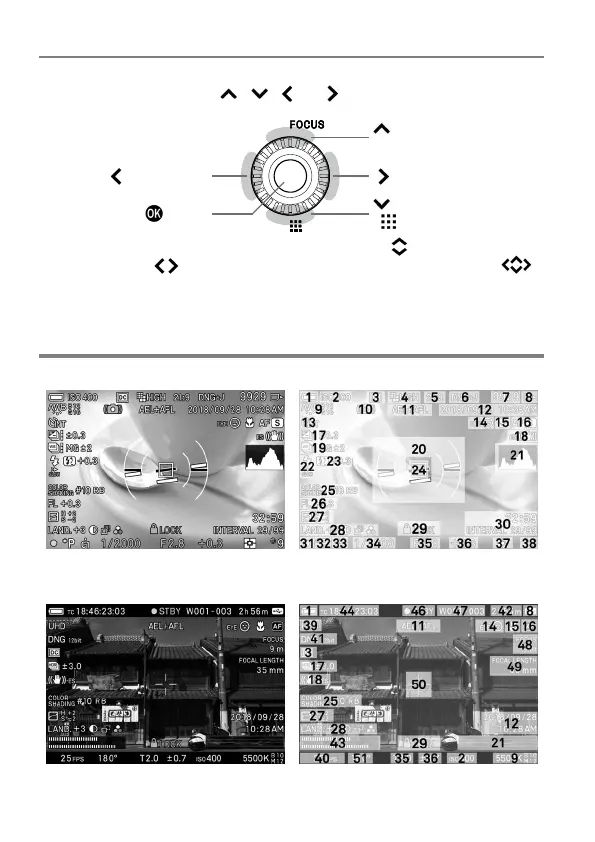
MONITOR DISPLAY DURING SHOOTING
In STILL mode
In CINE mode (CINE style)



 To Next Page