78
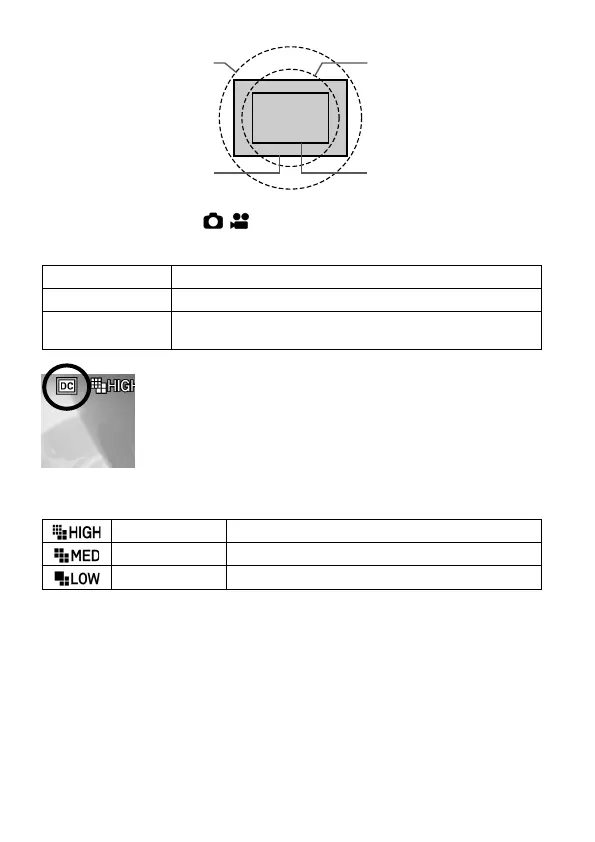
Image circle of full size
lens
Image circle of APS-C
size lens
-
To set the value, select [ / SHOOT]
→
[DC Crop Mode*].
* "DC Crop (Super35) Mode" is displayed in CINE mode.
Records the full size image range.
Records the APS-C size image range.
The image range is switched depending on the
attached lens.
The DC Crop mode icon is displayed in DC Crop mode.
When a full size lens is mounted and DC Crop mode [On]
is selected, the peripheral areas in the image will be cut
off and the angle of view shifts 1.5 times to the telephoto
end, when it is compared to the mode [Off].
In STILL mode, the image size in DC Crop mode is set as shown below.
9.8M 3,840 x 2,560 (When it is set as 3:2)
5M
2,736 x 1,824 (When it is set as 3:2)
2.5M 1,920 x 1,280 (When it is set as 3:2)
In CINE mode, the resolution (UHD/FHD) remains unchanged even when
DC Crop mode is selected.
CAUTION
When an APS-C size lens is mounted and DC Crop mode [Off] is
selected, there will be vignetting in the image and the resolution might not
be sufficient due to the larger sensor size.



 To Next Page