AFTER SALES SUPPORT
1300 7 77 137
service@unclebills.com.au
MODEL: EA2476 PRODUCT CODE: 715222 03/2024
35
INSTRUCTIONS (CONT.)
7. Once you have finished viewing the files on your PC, close the folder first and
then follow the normal procedures for ejecting devices from PC’s safely.
8. Remove the micro SD card from your PC, laptop or card reader.
NOTE: Always ensure that you close all folders first and then follow the normal
procedures for safely ejecting software or devices from PC’s safely.
NOTE: Any changes made to the files on the micro SD card will be permanent.
NOTE: We recommend copying files immediately to another media device to
protect important files from damage or accidental deletion.
WARNING: Files deleted from the micro SD card cannot be recovered.
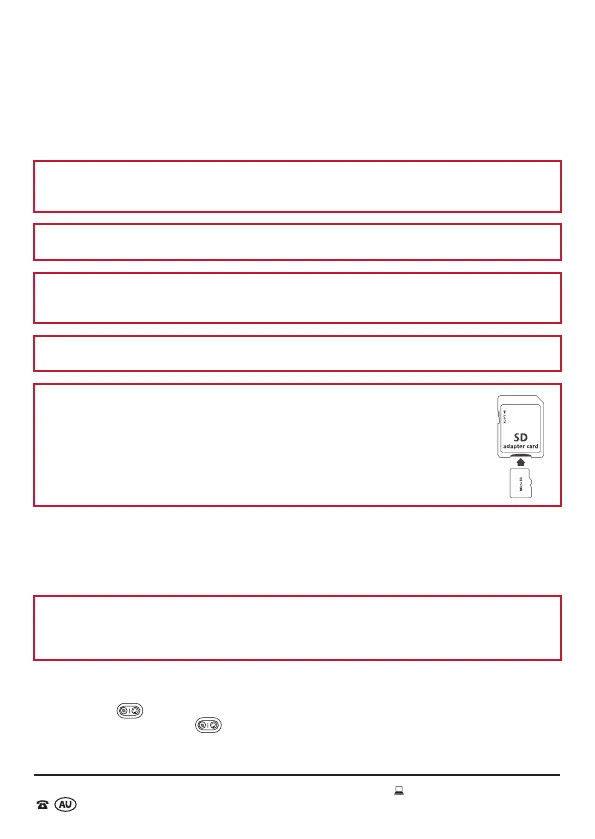
NOTE: To transfer to other devices and not accidentally delete files on
the micro SD card, a micro SD card adapter is included. With the labels
of both the micro SD card and micro SD card adapter facing upwards
and the contacts facing downwards push the micro SD card into the slot
on the micro SD card adapter until it is flush. To lock files, slide the tab
located on left side of the micro SD card adapter down. To unlock all files,
slide the tab upwards.
Deleting Files
The Wildlife Camera can be used to delete files on the micro SD card to make
additional space for recording new photos or video.
NOTE: When files are deleted using the Wildlife Camera, they are permanently
erased and cannot be recovered. We strongly recommend saving files to your PC
that you wish to permanently keep.
1. Slide the Power/Mode switch to SETUP mode.
2. Press the
button once to enter playback mode, select the file you wish to
delete. Press and hold button. The ‘Delete’ and ‘Protect’ options will display
on the viewing screen.



 To Next Page