AFTER SALES SUPPORT
1300 7 77 137
service@unclebills.com.au
MODEL: EA2476 PRODUCT CODE: 715222 03/2024
11
PRODUCT OVERVIEW (CONT.)
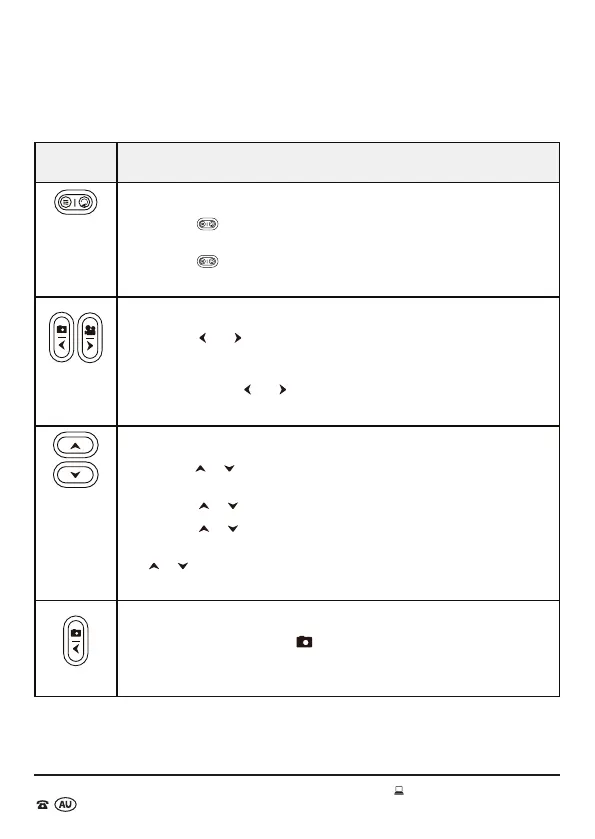
Operating Buttons
Button Function
Menu/Replay
• Press the
button once access the images and videos recorded on
the micro SD card (playback mode).
• Press the
button once again to access the menu options and
settings.
Left/Right Arrows
• Press the
and buttons to cycle through the main menu list (at the
top of the viewing screen).
• When navigating the sub menu options that require the time or date
to be set, use the
and buttons to cycle or toggle between the time
and date options.
Up/Down Arrows
• Use the
or buttons to navigate through the the sub menu
options and settings for each of the main menu options.
• Use the
or buttons to select the time for HH : MM : SS.
• Use the
or buttons to enter the date for YYYY / MM / DD.
• When viewing photos and videos in playback mode use the
or buttons to scroll through the photos and videos saved on
the micro SD card.
Photo Mode
• In SETUP mode, press the
button to set the Wildlife Camera to
only take photos in manual mode and live mode (ON).



 To Next Page