18 - English
5. Getting started
5.1. Checking the package contents
Remove all packaging materials including the film on the display.
DANGER!
Risk of choking and suffocation!
There is a risk of choking and suffocation due to swallowing
or inhaling small parts or plastic wrap.
Keep the plastic packaging out of the reach of children.
Please check your purchase to ensure that all items are included. If anything is missing,
please contact us within 14 days of purchase. The following items are supplied with your
product:
• Internet radio
• Remote control and 2x LR03/AAA/1.5V batteries
• Audio cable (3.5 mm)
• Mains adapter
• User manual with warranty information
• Quick start guide
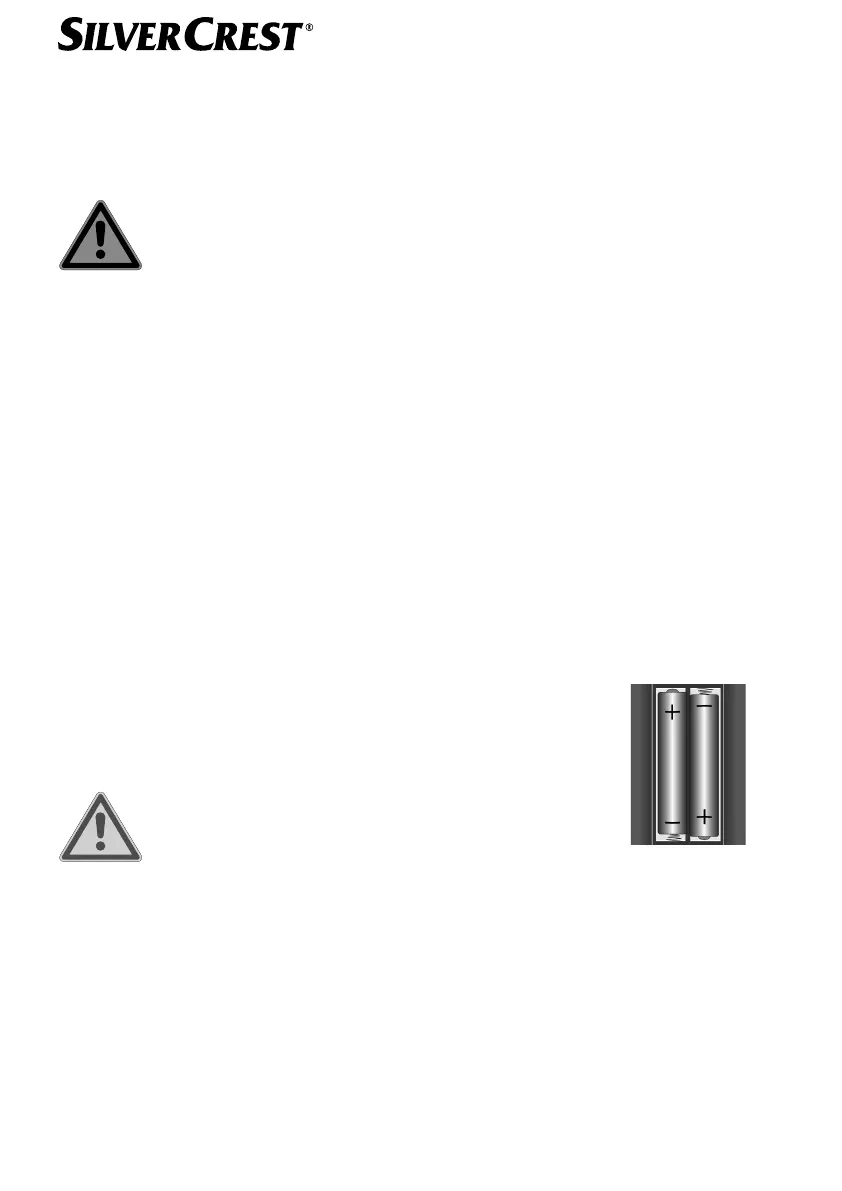
5.2. Inserting batteries in the remote control
Remove the battery compartment cover on the back of the remote control.
Insert two LR03/AAA/1.5 V batteries in the battery compartment
of the remote control. Check the battery polarity (as shown on the
bottom of the battery compartment).
Close the battery compartment.
WARNING!
Risk of explosion!
There is a risk of explosion if batteries are replaced
incorrectly!
Replace batteries only with the same or equivalent type.
The remote control can be damaged by leaking batteries if not used for a long period of
time!
Remove the batteries from the remote control if the device is not going to be used for a
long period.
IAN 359937 LB8-ML 5006 8137 QSG-Content final rev4 (V7).indb 18IAN 359937 LB8-ML 5006 8137 QSG-Content final rev4 (V7).indb 18 08.12.2021 13:10:1108.12.2021 13:10:11


 To Next Page
 Loading...