20 - English
6. Getting started
6.1. Operation using the controls on the device or
remote control
You can activate the main play functions on your audio system using the buttons on the
device. In addition to the basic controls, the remote control also provides numerous other
options for using all functions of your device.
If the markings on the device and the remote control differ, this is explicitly stated. If the
buttons on the device or the remote control are not stated separately, operation is the same
in both cases.
6.2. Switching the device on/off
Press the button to switch on the device.
To switch the device to standby mode, press the button.
The date and time are shown on the display.
7. Description of components
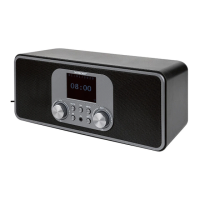
Front, see Fig. A
1) Display
2) FAV button: call up/store favourites list
3) MENU button: call up settings menu
4) NAV: turn to navigate through the menu; OK: press to confirm menu selection;
manual station search in FM mode
5) INFO button: switch display view, WPS button, go back one step
6) Headphone socket
7) button: mute
8)
button: switch device to standby mode/VOL: Volume control
9) MODE button: select the operating mode
Back, see Fig. B
10) DAB/FM antenna
11) USB: USB port
12) DC IN: socket for mains power adapter
13) AUX IN: audio input, 3.5 mm stereo socket
14) LINE OUT: audio output, 3.5 mm stereo socket
15) Bass reflex port
IAN 359937 LB8-ML 5006 8137 QSG-Content final rev4 (V7).indb 20IAN 359937 LB8-ML 5006 8137 QSG-Content final rev4 (V7).indb 20 08.12.2021 13:10:1808.12.2021 13:10:18



 To Next Page