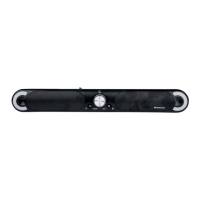
SSB 30 A1
34 - English
out of the power socket. If this occurs, the device should not be used before it has been inspected by authorised
service personnel. All repairs must be carried out by qualified service personnel.
Operating environment
The device is not designed for use in environments with high humidity (e.g. bathrooms) or excessive levels of
dust. Operating temperature and operating humidity: 0 °C to 35 °C, max. 85 % relative humidity. Please note
that caring products for furniture surfaces may contain substances that can damage the rubber feet of the sound
bar, so be careful if you have been using this type of products.
Note on mains disconnection
Please remember that the power adapter consumes a small amount of electricity even in standby mode when
it is connected to the mains. To fully separate it from the mains, unplug the power adapter from the mains socket.
6. Copyright
All the contents of this user manual are protected by copyright and provided to the reader for information only.
Copying data and information without the prior explicit written consent of the author is strictly forbidden. This
also applies to any commercial use of the contents and information. All texts and diagrams are up-to-date as
of the date of printing. Subject to change without notice.
7. Connections and controls
An illustration of the items and controls and their corresponding numbers can be found on the inside page of
the fold-out cover of this user manual. You can keep this page folded out whilst reading the different chapters
of these operating instructions. This allows you to refer to the relevant controls at any time.
1
+ button (increase volume)
2 On/Standby button
3 USB port (not to be used for charging)
4 Source button (signal source selection)
5
- button (reduce volume)
6 left Status LED
7 right Status LED
8 Wall-mounting holes
9 3.5mm AUX-IN socket
10 HDMI ARC jack
11 Optical digital input (Toslink)
12 Power adapter socket


 To Next Page
 Loading...