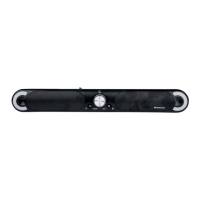
SSB 30 A1
English - 41
9.3.1 “HDMI ARC” mode
HDMI (ARC Audio Return Channel) is an extension to the conventional HDMI connection which
allows ARC channel audio signals to be transmitted in both directions. In order to use this
functionality, all the components used must be ARC-compliant.
Most modern TV sets, games consoles and digital receivers have an ARC output. Please refer to
the user manual for the device to be connected.
If the audio transmission does not work, make sure that the HDMI cable and the connection on
the source device are ARC-compliant. It is possible that only specific connections on the source
device are ARC-compliant.
How to connect the sound bar to a TV set is described below:
• Using an HDMI(ARC)-compliant cable (D, supplied), connect the HDMI(ARC) jack (10) on the sound bar
to an HDMI(ARC) output on the TV set. Set the connected device to “PCM Stereo” or “Stereo 2.0”.
• Switch the sound bar on using the standby button (2, 44).
• Press the “HDMI (ARC)” button (43) to select the HDMI(ARC) input on the sound bar.
• Switch the TV set on, the sound playback will start within a few seconds.
If your TV set supports the CEC protocol, the sound bar can be switched on and off using the TV
remote control. If this is the case, the volume can also be controlled via the TV remote control. See
the user manual for the TV set.
9.3.2 “OPTICAL” mode
IMPORTANT:
The optical cable (E) connectors are protected by plastic caps on both ends.
Before using the cable, these plastic caps have to be removed to prevent
damage on the soundbar or TV.
Use this operating mode to play music from the optical digital input (11) for example from a TV on your sound
bar (A). The TV must have an optical digital output. Use the optical cable supplied (Toslink cable) to make the
connection. Proceed as follows:
• Connect the Toslink cable (E) to the optical digital output of your TV.
• Then connect the Toslink cable (E) to the optical digital input (11) of your sound bar.
• Switch the TV set and sound bar on. Set the connected TV to “PCM Stereo” or “Stereo 2.0”.
• Start playing on the TV.
• Press the “OPTIC” button (14) on the remote control to select this mode.
• You can use the volume buttons (23, 37) to adjust the volume to your requirements.
• If you wish, you can change the audio settings using the relevant buttons on the remote control.
See the user manual for the TV set.


 To Next Page
 Loading...