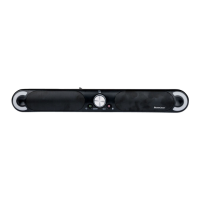
SSB 30 A1
42 - English
9.3.3 “BLUETOOTH” mode
The Bluetooth device name of the sound bar is SSB 30 A1.
If you are prompted for a PIN during the pairing process, enter “0000“.
It can take a variable amount of time to establish the connection, depending on the device.
Establishing a connection
• Press the button (42) to switch to Bluetooth mode.
After switching to Bluetooth mode, the sound bar automatically connects to a paired devices or,
if no paired device is found, automatically switches to Bluetooth pairing mode. If the connection
to a paired device is lost, the device switches off after approx. 10 minutes.
• If your playback device has not yet been paired with the sound bar, the left status LED (6) flashes blue.
• Start Bluetooth scanning mode on your playback device (e.g. smartphone). It should then find the sound
bar under the name “SSB 30 A1”.
• Now establish a Bluetooth connection between your playback device and the sound bar.
• After the connection has been established, the left LED (6) goes on blue.
Generally, you should only have to pair once as the playback device saves the name of the sound
bar. This means you do not need to pair the devices manually when you establish the connection
again.
If you wish to disconnect an existing Bluetooth pairing or switch to pairing mode, press and hold
the “PAIR“ button (39) on the remote control for about 1 second.
• Now start music playback from the source device. The sound is played back via the sound bar.
• You can use the (20), (21) and (38) buttons on the remote control or your source device
to control playback.
• You can use the volume buttons (23, 37) to adjust the volume to your requirements.
Disconnect
The Bluetooth pairing is disconnected if …
• ... either of the devices is switched off.
• ... Bluetooth is switched off.
• ... the sound bar and source device are beyond the Bluetooth range (approx. 10 metres).
• ...you keep the “PAIR“ button (39) on the remote control pressed for about 1 second.


 To Next Page
 Loading...