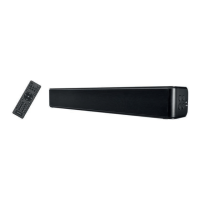
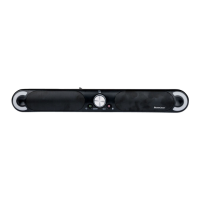
SSB 30 A1
46 - English
11. Troubleshooting
The sound bar does not power on.
• Check that the power adapter (B) is correctly inserted into the power socket and the sound bar. Connect it
properly if not.
• Check whether the used power socket is alive. If necessary, test the device in a different socket that you
are certain is working.
No sound
• Check that the correct mode has been selected. Select the correct mode.
• Check the playback volume on the sound bar and the connected playback device.
• In “HDMI ARC“ and “OPTICAL“ mode: If your audio source supports multi-channel playback, you need
to switch it to “PCM Stereo” before getting started, as the sound bar will otherwise be unable to output
sound. Please refer to the user manual for your audio source.
• In “HDMI ARC” mode: Check that the HDMI(ARC) cable (D) is correctly inserted into the HDMI ARC jack
(10) on the sound bar and the corresponding HDMI ARC connection on the external sound source, e.g.
TV set. On a “normal” HDMI connection, the TV set can only receive video and audio signals, but not
transmit them.
• In “AUX IN“ mode: Check that the adapter cable (F) is correctly inserted into the AUX IN jack (9) on the
sound bar and the Cinch output on the external playback device. Also check the volume setting of the
external playback device connected via the adapter cable (F).
• In “Optical” mode: Check that the Toslink cable (E) is correctly inserted into the optical digital input (11)
of the sound bar and the corresponding jack on the external playback device. If necessary, remove the
plastic caps from the connectors.
• In “USB” mode: Check that your USB playback device is formatted with the FAT32 file system and
correctly connected and that there are suitable playback files on it. Suitable file formats: MP3 and WAV.
Cannot control the sound bar with the remote control
• The remote control batteries are low or empty. Replace them with new batteries of the same type.
• The distance between the sound bar and the remote control is too great. Move them closer together.
Playback via Bluetooth
®
does not work
• On your smartphone / tablet, check if there is a Bluetooth
®
connection established to the SSB 30 A1 sound
bar. If necessary, repeat the pairing.


 To Next Page
 Loading...