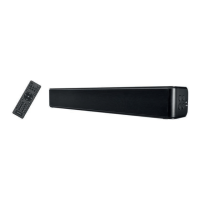
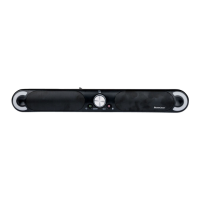
SSB 30 A1
38 - English
8.3 Connection options / Operating modes
CAUTION! Make sure that the sound bar and the devices to be connected are switched off
when you connect them. Please also read the user manual for the device to be connected.
The HDMI (ARC) connection only works if all the components connected are ARC-compliant.
Use the HDMI (ARC) cable (D) supplied. See also the user manual for the connected device.
The cable used for playback must not exceed a length of 3 metres.
The SSB 30 A1 sound bar lets you play sound and/or music from various sources:
Playback can be controlled using the buttons on the device or the remote control.
You can use the Source button (4) or the remote control to select the operating mode you want. The operating
modes and applications can be found in the table below:
Operating
mode /
Source
Input Use
Button on
remote control
BLUETOOTH
®
---- Via wireless connection, e.g. from
smartphone
(42)
HDMI ARC HDMI(ARC) (10)
Connection via HDMI (ARC) cable to
the HDMI (ARC) jack, e.g. TV or DVD
player
HDMI(ARC) (43)
OPTICAL OPTICAL (11)
Connection via Toslink cable, e.g. TV
or digital receiver
OPTIC (14)
AUX AUX (9)
Connection via adapter cable (stereo
jack/Cinch), e.g. DVD player or
satellite receiver
AUX (15)
USB USB (3)
Connection of USB media, e.g. USB
stick to play back audio files (audio
formats supported: MP3 and WAV)
USB (40)


 To Next Page
 Loading...