SYSTEM OPERATIONS-17
FUSE BLOCK - Salon
There is a Fuse Block located behind
the AC/DC Panel. There is also a FUSE
CARD located on the wall by the Fuse
Block. This card will indicate all fuse posi-
tions and size of fuses. Remember, there
are memory sections (constantly “ON”) of
the Fuse Block.
FUSE BLOCK - Bridge
There is also a Fuse Block behind the
helm. The fuse card behind the DC Panel
has the location and size information for
these fuses. Remember, there are mem-
ory sections (constantly “ON”) of the Fuse
Block.
Turn off all electric power to your AC/
DC Panel when opening the door to the
electrical cabinet. The power can be
turned off by the two main DC switches
at the top of the panel, and the main AC
switch in the AC portion of the Panel. In
addition, make sure to remove all shore
power cords, and shut down the Gen-
erator. Do not forget the breaker for the
memory.
HELM ACCESSORY SWITCHES
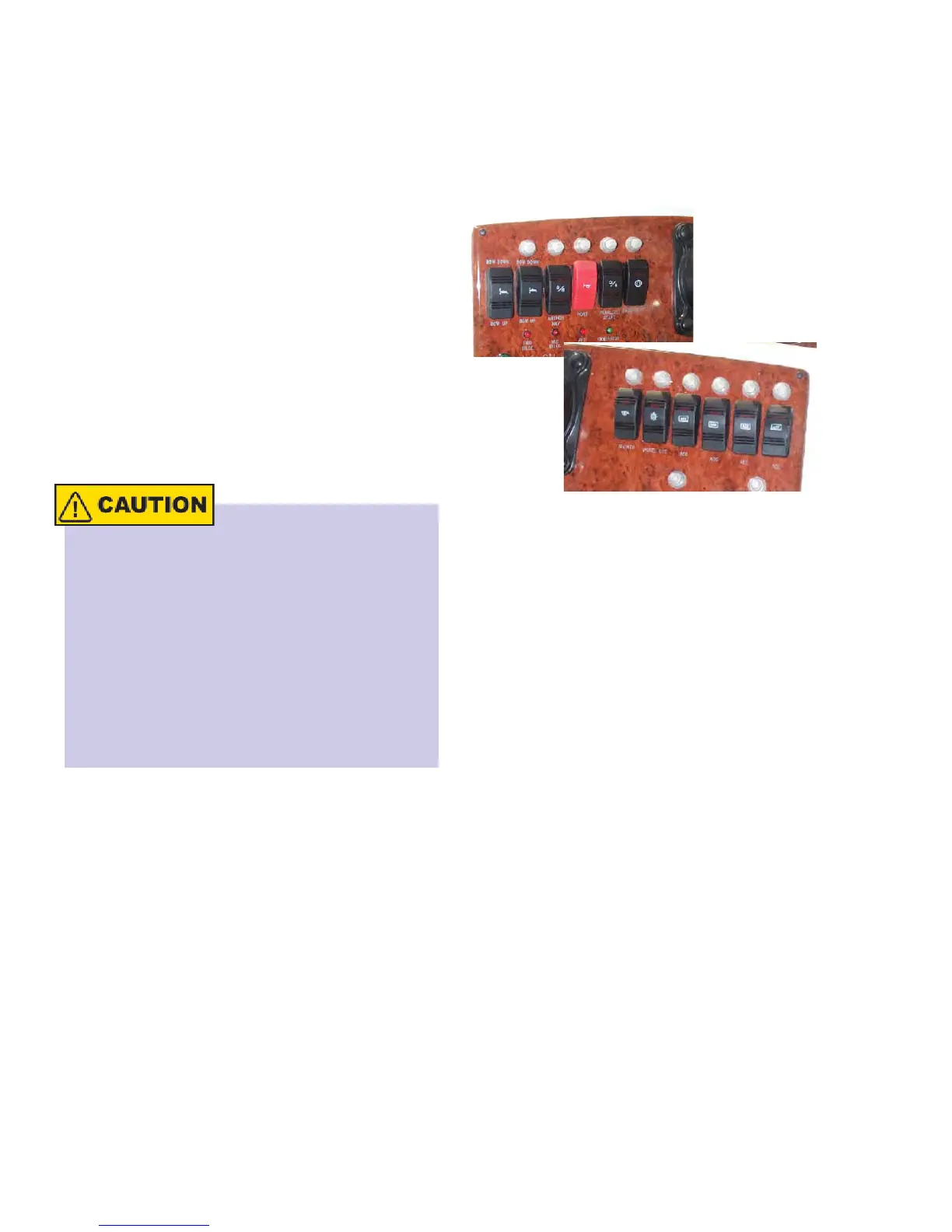
There are switches located at the Helm on
your 34C. These switches are 12 Volt DC.
The photo below shows the switches at
the helm.
Above each switch is the reset button. The
power for these switches come from the
AC/DC Panel. The breaker marked Helm
Accessory are for these switches.
ANCHOR/NAV LIGHTS - This switch is a
three position switch. The three positions
are OFF, Navigation Lights, and Anchor
Lights.
HORN - This is a push button switch.
To activate the horn press the top of the
switch.
PARALLEL - When starting your engines
you need increased amperage to your en-
gine. This switch will parallel the batteries
to achieve this.
COURTESY LIGHTS - This switch con-
trols the courtesy lights on the bridge.
ACCESSORY - This is an extra switch for
any option that has been added.



 To Next Page