DE
6. Basic Setup
34
Basic Setup
6.
6.9
Current sensor configuration
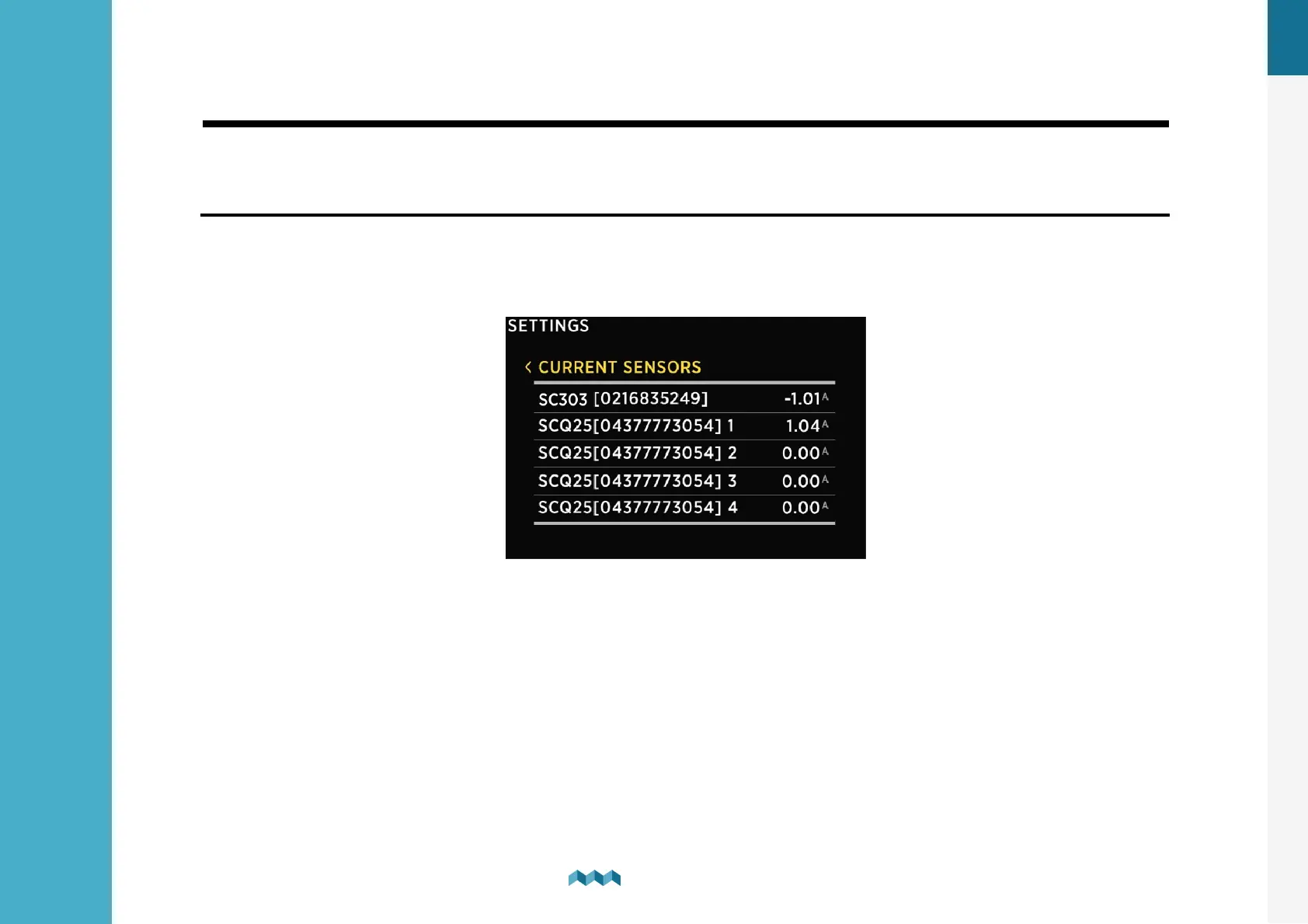
The VIA shows all properly configured current sensors. Each correctly configured sensor will automatically show up on the
VIA. The following section describes how to set up a sensor on the VIA.
6.9.1
Adding a current sensor
List of all current sensors (shunts). Connected shunt modules are added to the list automatically. In this list, you can view
real time readings (amperes) for all connected current sensors. By selecting a certain sensor, you can view or change its
settings.
Pressing the enter button will open a settings screen for the selected sensor.
NAME - Assign a display name of the current sensor.
RANGE - Adjust the presentation of the current reading for the current sensor. By default the value is set 100A and it means,
that the bar used for visually representing the measured current will be displayed as full at 100A (the default range is between
0A - bar empty and 100A - bar full).
REVERSE CURRENT - For consumers the current reading should be a negative number measured and for generators it
should be a positive number measured and displayed on the CURRENT SENSORS screen. In case of reverse wiring, the
situation might be exactly the opposite. This can be resolved either by rewiring the shunt or - easier - by toggling this option.
ADD CURRENT - Determines if the measured current should be used in the calculation of the state of charge for the battery


 To Next Page