DE
7. Device configuration
39
Device configuration
7.
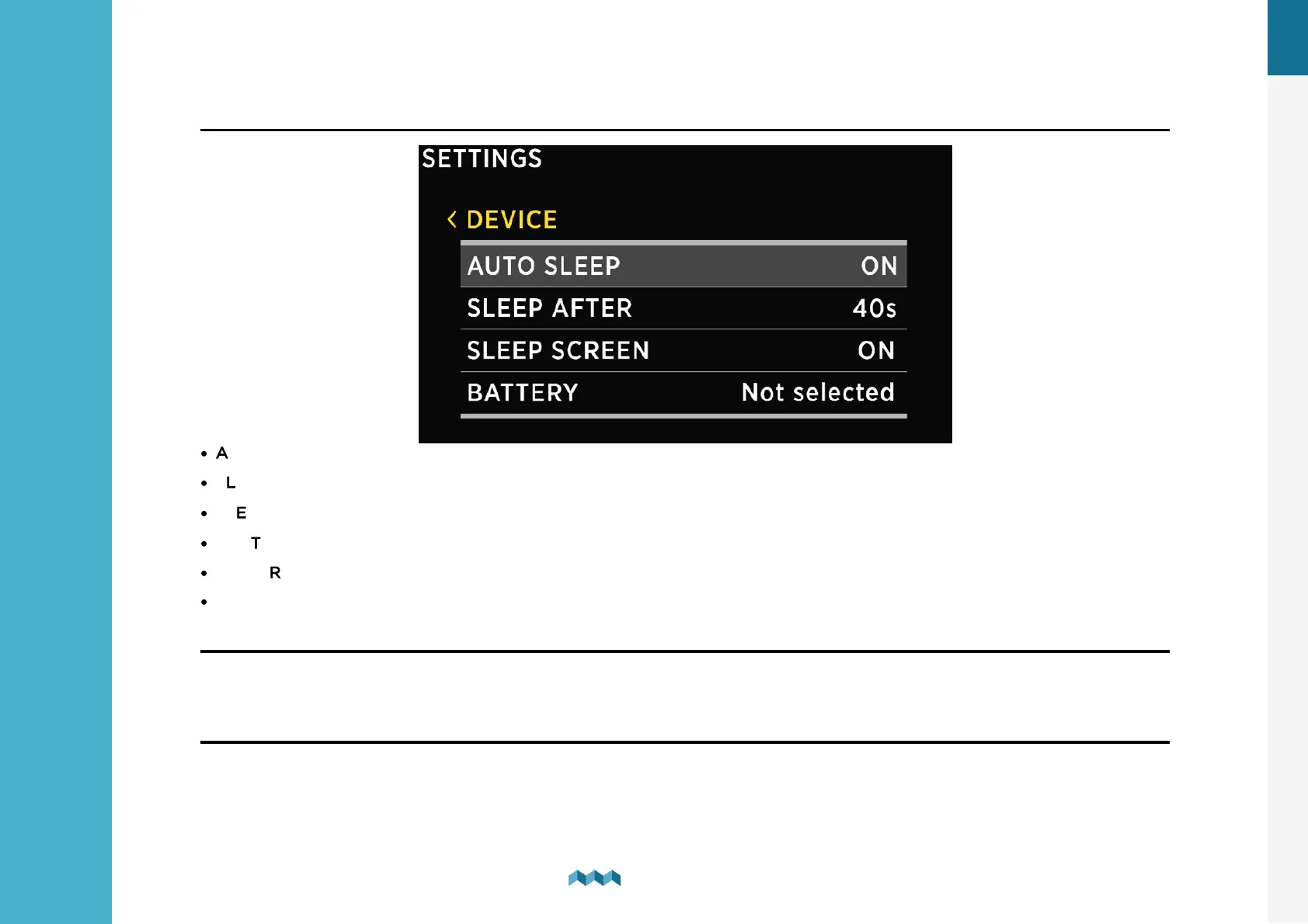
7.1.2 Device
·
AUTO SLEEP - Enable/Disable auto sleep function.
·
SLEEP AFTER - Time after which the VIA goes into sleep mode if the AUTO SLEEP setting is enabled.
·
SLEEP SCREEN - If SLEEP SCREEN is enabled the VIA will display home screen when in SLEEP MODE.
·
BATTERY - This determines which battery will be displayed on the home screen.
·
POWER MANAGEMENT --> AUTO POWER OFF - Automatically powers off the VIA, if this is ON.
·
POWER MANAGEMENT --> AUTO POWER OFF DELAY - Automatically powers off the VIA after selected time.
7.1.3
Language
You can choose between English, German, French, Spanish and Polish languages. More languages will be added with future
firmware upgrades.
7.1.4 Units
You can choose different international measurement units for pressure, temperature, volume, altitude and speed.


 To Next Page