DE
7. Device configuration
46
Device configuration
7.
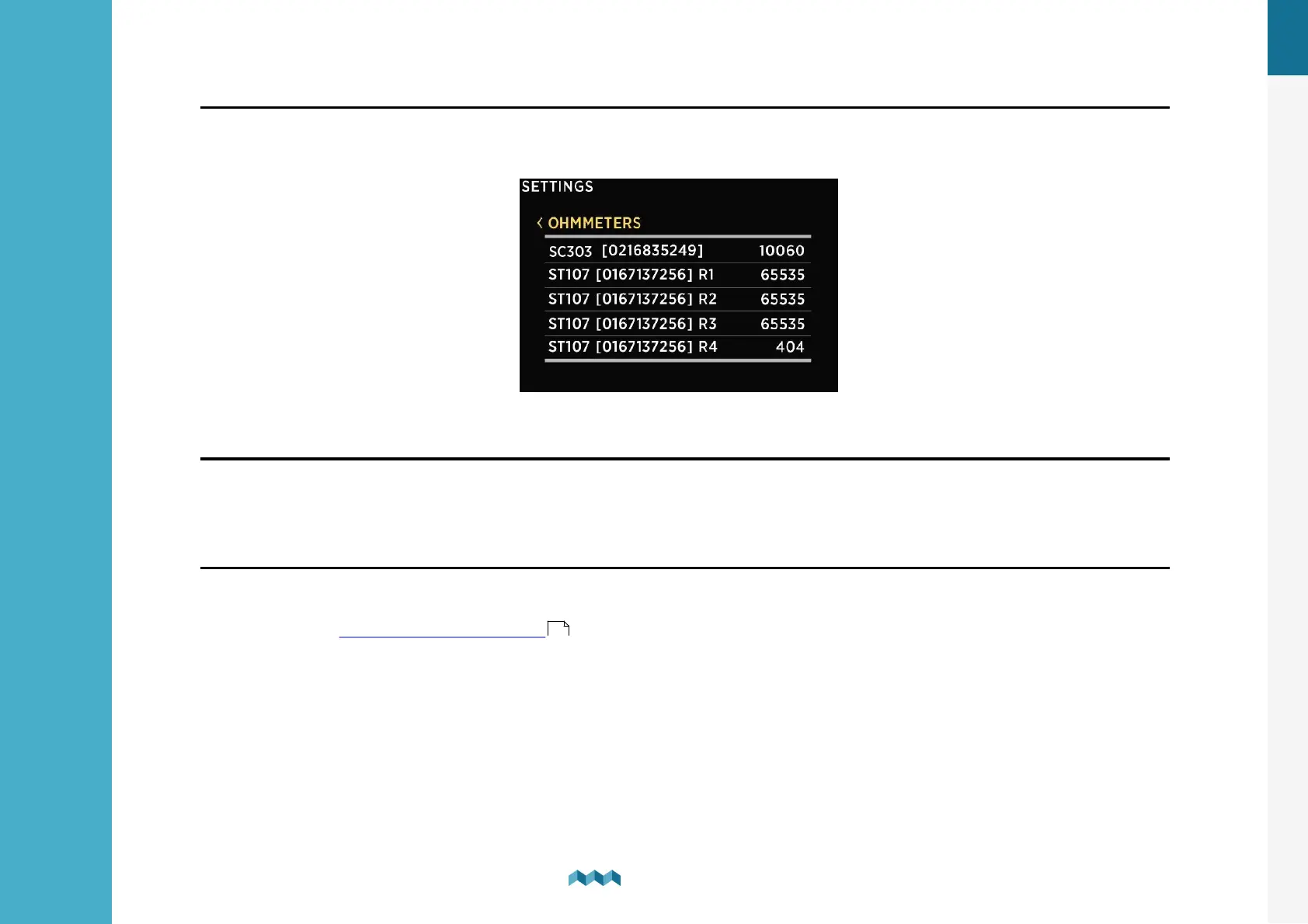
7.3.6 Ohmmeters
List of all ohmmeters connected to VIA. Connected ohmmeters are added to the list automatically. You cannot manually
add a new ohmmeter. In this list, you can view current readings (resistance in ohms) for all connected ohmmeters.
7.3.7
Coulomb counter
For each connected current sensor, a corresponding Coulomb counter will also appear on the devices list. Each Coulomb
counter shows a total electric charge (in Ah, amp hours) that has transferred through this sensor until now. By selecting
a certain Coulomb counter, you can manually reset the counter to zero.
7.3.8 Inclinometers
List of inclinometer sensors that you have added to your VIA. By selecting a specific sensor, you can view or change its
settings or delete it if necessary. By selecting “Add new”, you can add a new analog sensor with voltage output. For more
information go to Adding a new inclinometer .
32


 To Next Page