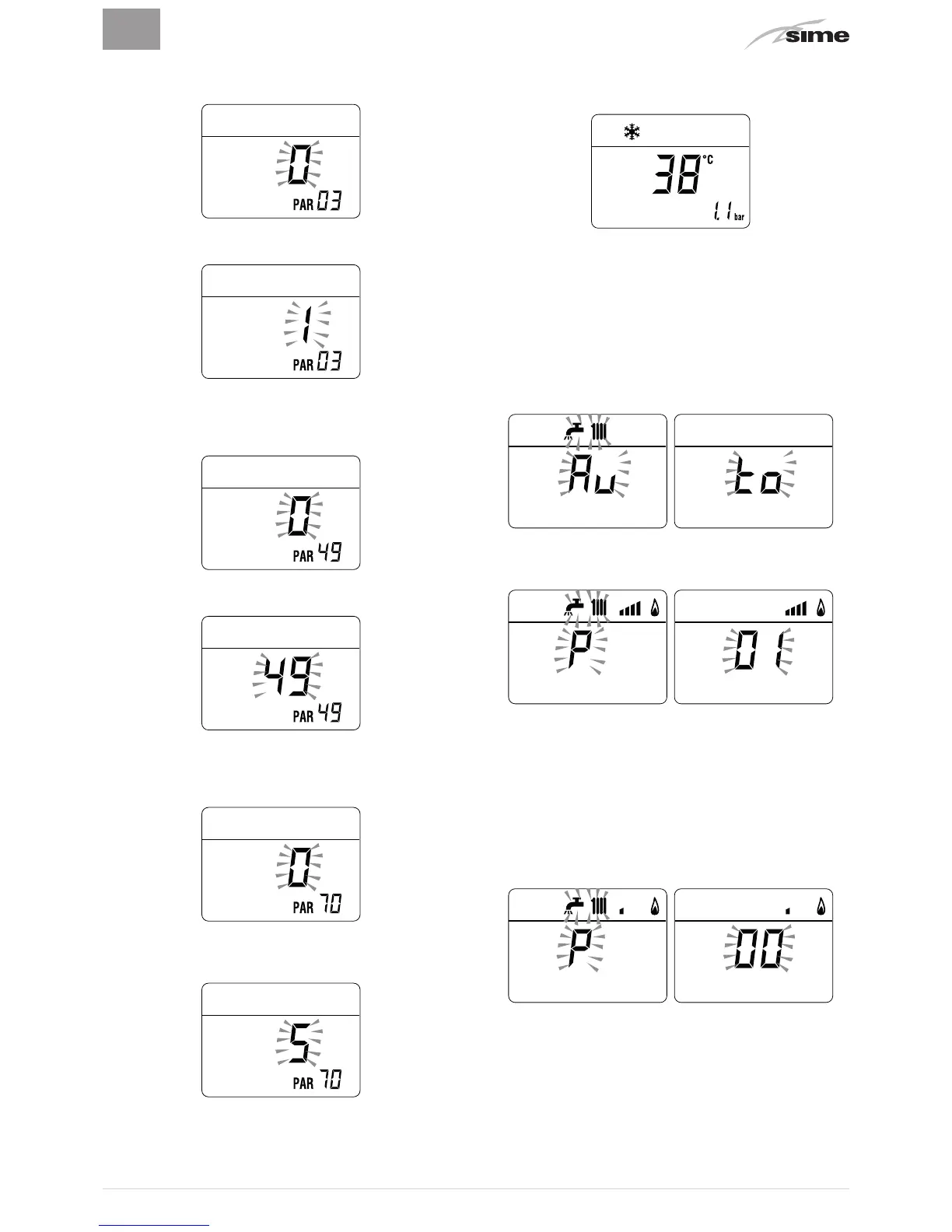
– keep the button
t
pressed and scroll through the parame-
ters until reaching parameter "03"
– press the button
>
and select "1" (LPG)
Procedure which is COMMON to the 3 cases above
– keep the button
t
pressed and scroll through the parame-
ters until reaching parameter
“PAR 49”
– press and hold the button
>
to set the value
at “49”
– the modified value will be stored automatically
– keep the button
t
pressed and scroll through the parame-
ters until reaching parameter
“PAR 70”
– press the button
>
to set the value
at “5”
– the modified value will be stored automatically
– exit the parameter section by pressing and holding down
the buttons
r
and
t
at the same time
(approximately 5
seconds) until the delivery temperature is displayed.
m
IMPORTANT
To complete this task the user
MUST
carry out the
following procedure.
Adjusting maximum gas pressure:
– press and hold down the buttons
>
and
y
at the same time
for approximately 6 seconds until the message |b|"Au"|bb
appears on the display alternating with
“to”
– the boiler will start up and the message
“P01”
will appear
on the display (Adjusting maximum gas pressure)
– press the buttons
>
or
<
until the pressure value indicated
in the table appears on the pressure gauge
– once the value indicated in the table has been reached,
press the button
y
for approximately 2 seconds to con-
firm the value which will then flash once.
Adjusting minimum gas pressure:
– press the button
r
twice, the message
“P00”
will appear
on the display
– press the buttons
>
or
<
until the pressure value indicated
in the table appears on the pressure gauge
– once the value indicated in the table has been reached,
press the button
y
for approximately 2 seconds to con-
firm the value which will then flash once



 To Next Page