35
Type No. Description Range U.M. Step Default
PAR 26 Zone valve / relaunch pump activation delay 0 .. 99 Min 1 1
PAR 27
PAR 28
Domestic hot water activation delay with
solar power
0 .. 30 0
PAR 29 Anti-legionella function (only hot water tank)
-- = disabled
50 .. 80
-- -- --
PAR 30 Maximum domestic hot water temperature 35 .. 67 °C 1 60
PAR 31
PAR 32
PAR 33
PAR 34
PAR 35 Digital / analogue Pressure switch
0 = water pressure switch
1 = water pressure transducer
2 = water pressure transducer (only pressure
displayed)
-- 1 1
PAR 36
Maximum time of consecutive runs for
compressor enabled to operate
m
13
PAR 37
Rest time for compressor, even where
enabled to operate
15
PAR 38 Compressor post-operating time (in minutes) 7
PAR 39 Fan speed in post-ventilation 50
PAR 40 Modulating pump speed -- = No modulation % - --
PAR 41 ∆T modulating pump delivery/return 10 .. 40 °C 1 20
PAR 42
PAR 43
PAR 44 Minimum time between compressor ignitions
m
14
PAR 45 Minimum time between compressor on-off 13
PAR 46
Return temp. threshold for activating the
compressor (temperature read at heat pump)
47
PAR 47 System pump forcing (only in winter mode)
0 = Disabled
1 = Enabled
-- -- 0
RESET
PAR 48 Reset parameters (to default) 0 .. 1 -- -- 0
m
Tampering with the default values may cause serious damage to the appliance.
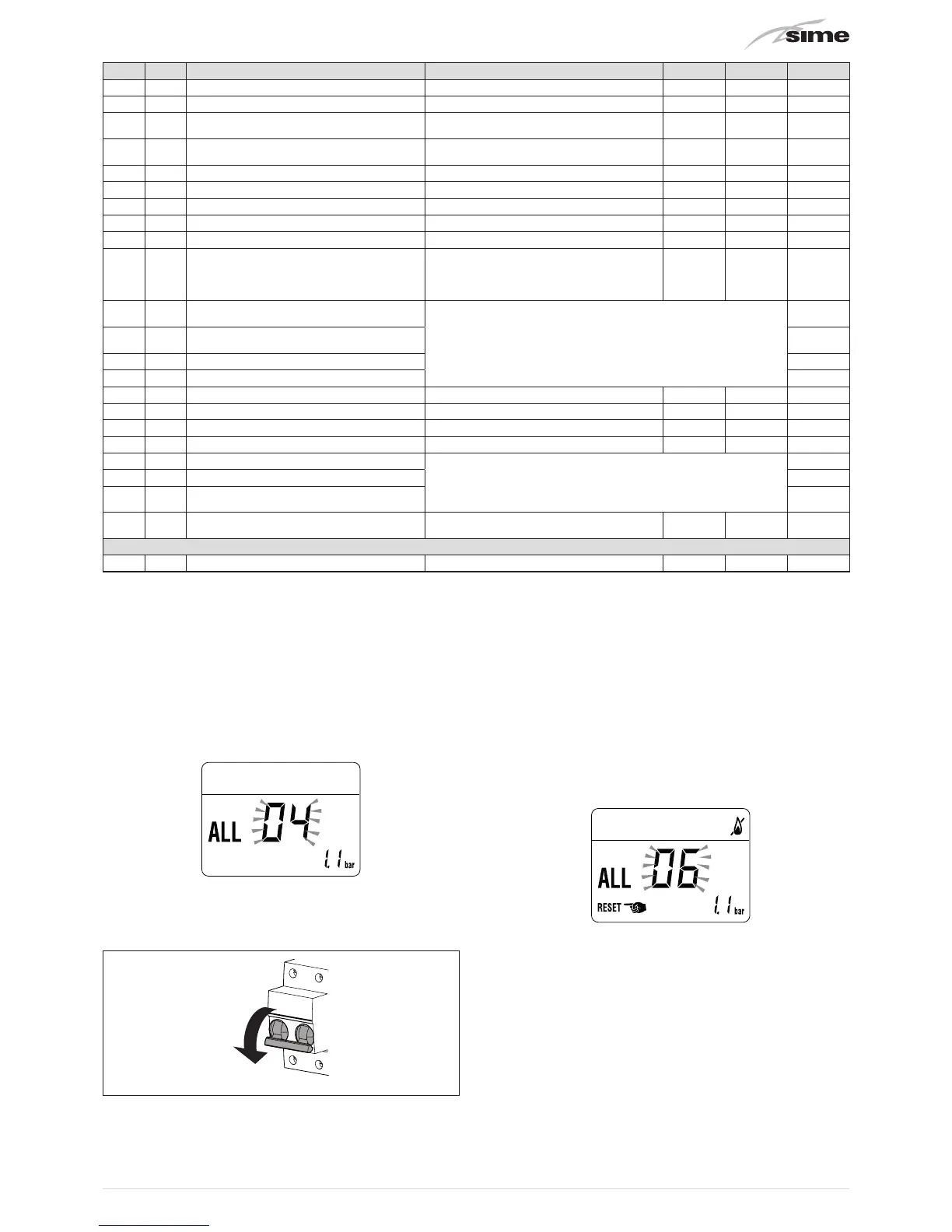
In the event of a fault/malfunction the message
"ALL"
will
appear on the display with the alarm number eg.
"ALL 04"
(Domestic Hot Water Sensor Fault).
Before repairing the fault:
– disconnect the appliance from the mains power by setting the
main switch to "OFF"
Fig. 42
– as a precautionary measure, close the gas isolation valve.
Repair the fault and start-up the boiler again.
NOTE:
after having repaired the fault, when the alarm number
appears on the display together with the message
d
(see figure), press the button
y
for approximately 3 seconds
to start the appliance up again.


 To Next Page