41
– press the
>
button again to run the boiler at maximum power
again
– press the button
y
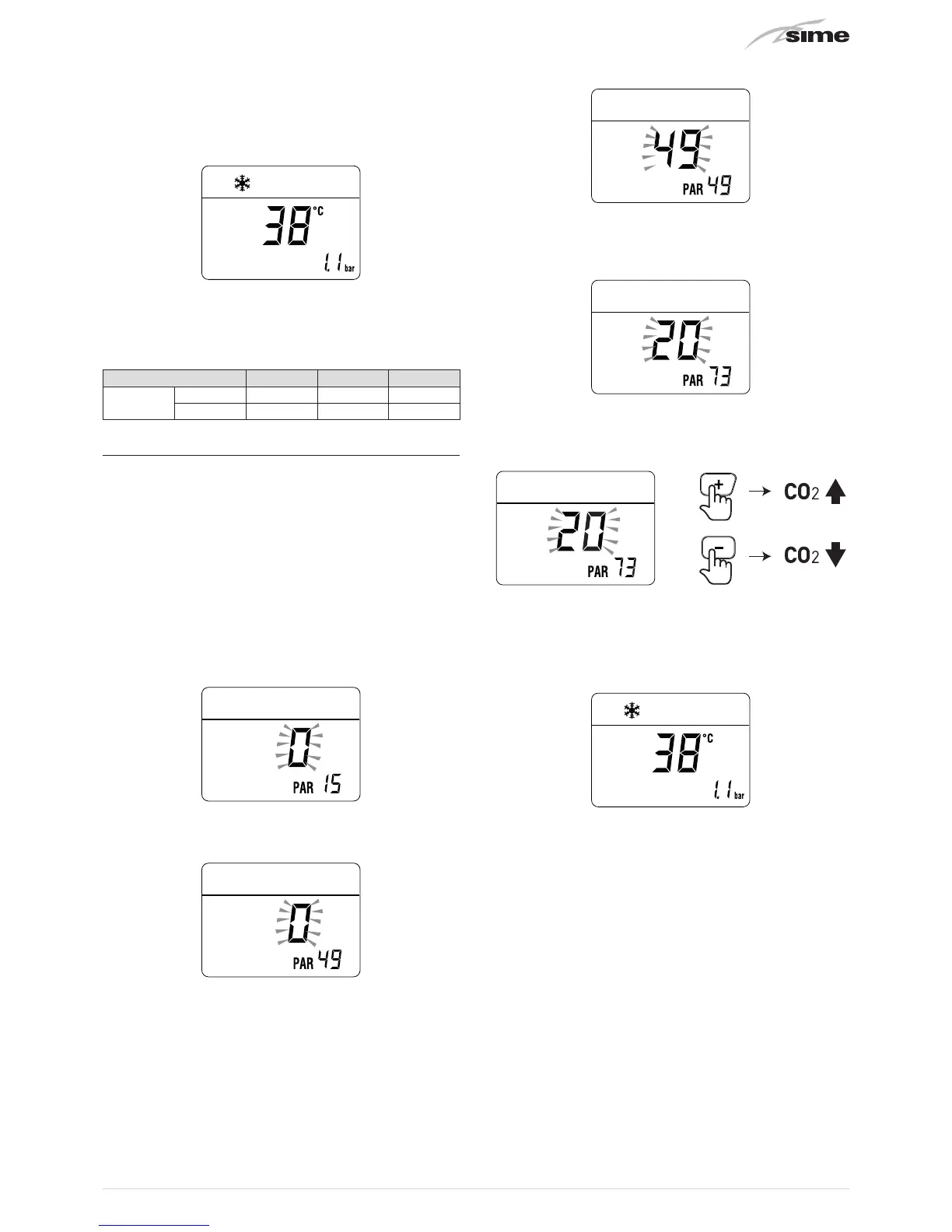
to exit the "Chimney sweeper
Procedure”. The boiler water delivery temperature will
appear on the display
– close the taps opened previously and check that the appliance
shuts down.
CO
2
values
Type of gas G20 G30 G31
CO
2
max 3,0 - 3,5 3,8 - 4,3 3,7 - 4,2
min 2,1 - 2,5 2,5 - 2,9 2,8 - 3,2
7.9 Modifying the CO
2
values
Should the CO
2
values read differ from those in the table, modify
“PAR 73”
as follows:
– keep the flue gas analyser inserted in the take-off point on
the outlet ducts
– go into the parameter section by pressing the buttons
r
and
t
(for approximately 5 seconds) at the same time until
"PAR
01"
(parameter number) and the value set (0) appears on the
display
– press and hold the
t
button and scroll through the parameters
until you reach
“PAR 15”
– press and hold the
<
button to change the value to
“0”
(force
minimum power)
– the modified value will be stored automatically
– keep the button
t
pressed and scroll through the parameters
until reaching parameter
"PAR 49"
– press and hold the button
>
to set the value
at "49"
– the modified value will be stored automatically
– press and hold the
t
button and scroll through the parameters
until you reach
“PAR 73”
(default value “20”)
– increase or decrease
“PAR 73”
one unit at a time using the
>
or
<
buttons respectively, checking combustion
– the modified value will be stored automatically
– after the CO
2
values have been modified, set
“PAR 15”
back to
“100”
– or the most suitable heating power – again
– exit the parameter section by pressing and holding down the
buttons
r
and
t
at the same time
(approximately 5 seconds)
until the delivery temperature is displayed.


 To Next Page