Changing the default settings | 23
4 Changing the default settings
General
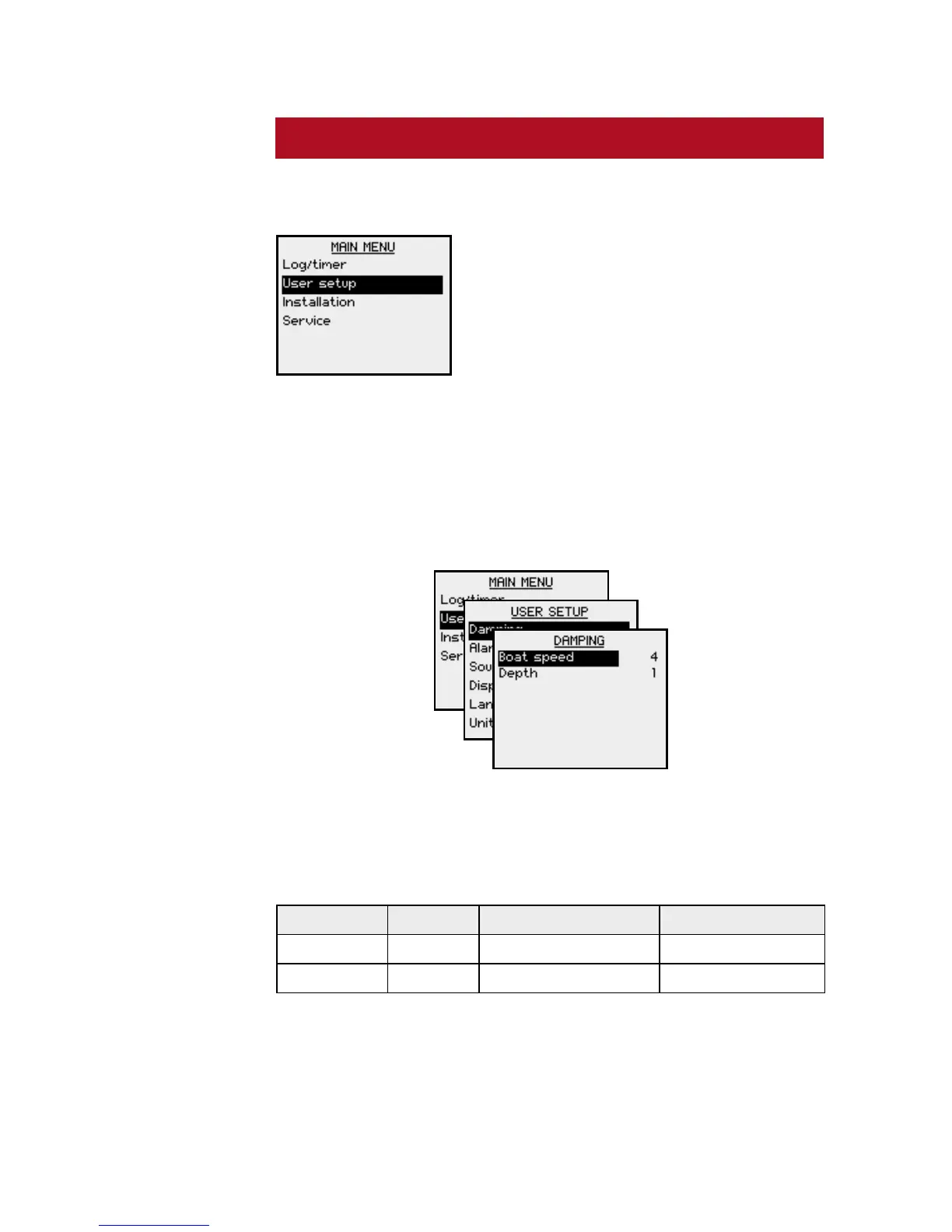
The factory default settings may all
be changed from the User setup
command in the Main menu.
Updating the settings will affect all instruments in the
SimNet group. Refer to SimNet group function, page
31.
Setting the damping factors
The damping factors determine how fast the display will
respond to changes.
The higher damping factor the more stable display
reading on the instrument.
Setting Range Change per step Default value
Boat speed 0-9 1 4
Depth 0-9 1 1








 To Next Page