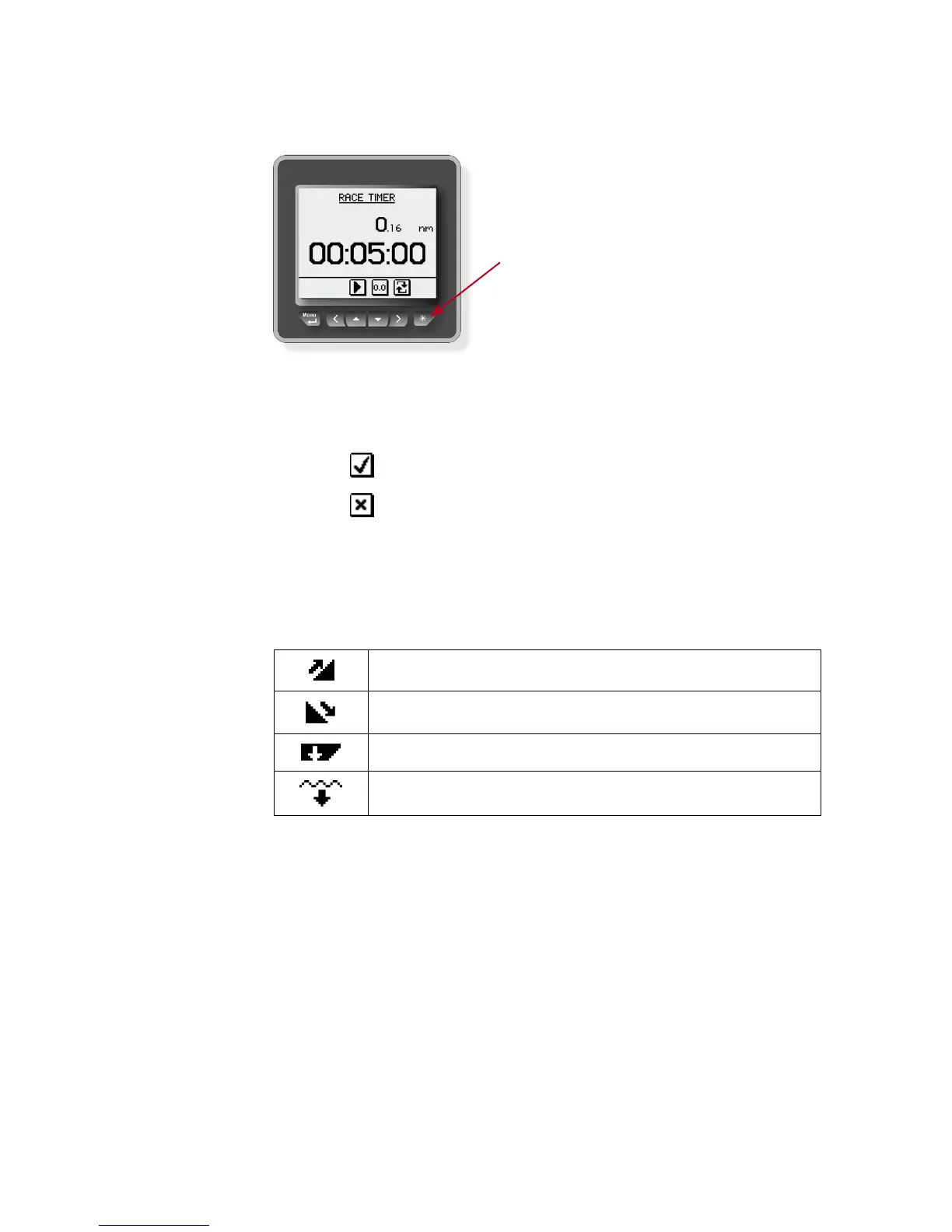
Softkeys
When the basic operation of
the keys is changed, soft key
symbols will be displayed right
above the keys to indicate the
alternate function.
The softkey symbols are illustrative, and they are de-
scribed under the functions as these appear in this
manual. The following general softkey symbols are used:
OK
Cancel
Screen symbols
The following symbols are used for depth readings:
Decreasing depth
Increasing depth
Depth reading measured from keel
Depth reading measured from water line
IS20 system examples
The IS20 may be installed as a stand-alone instrument
system, or as part of an advanced instrument or steering
system on the boat.
The figures on the next two pages show simplified illus-
trations for basic and an expanded IS20 system.







 To Next Page