2-37
UI Menu Function
2
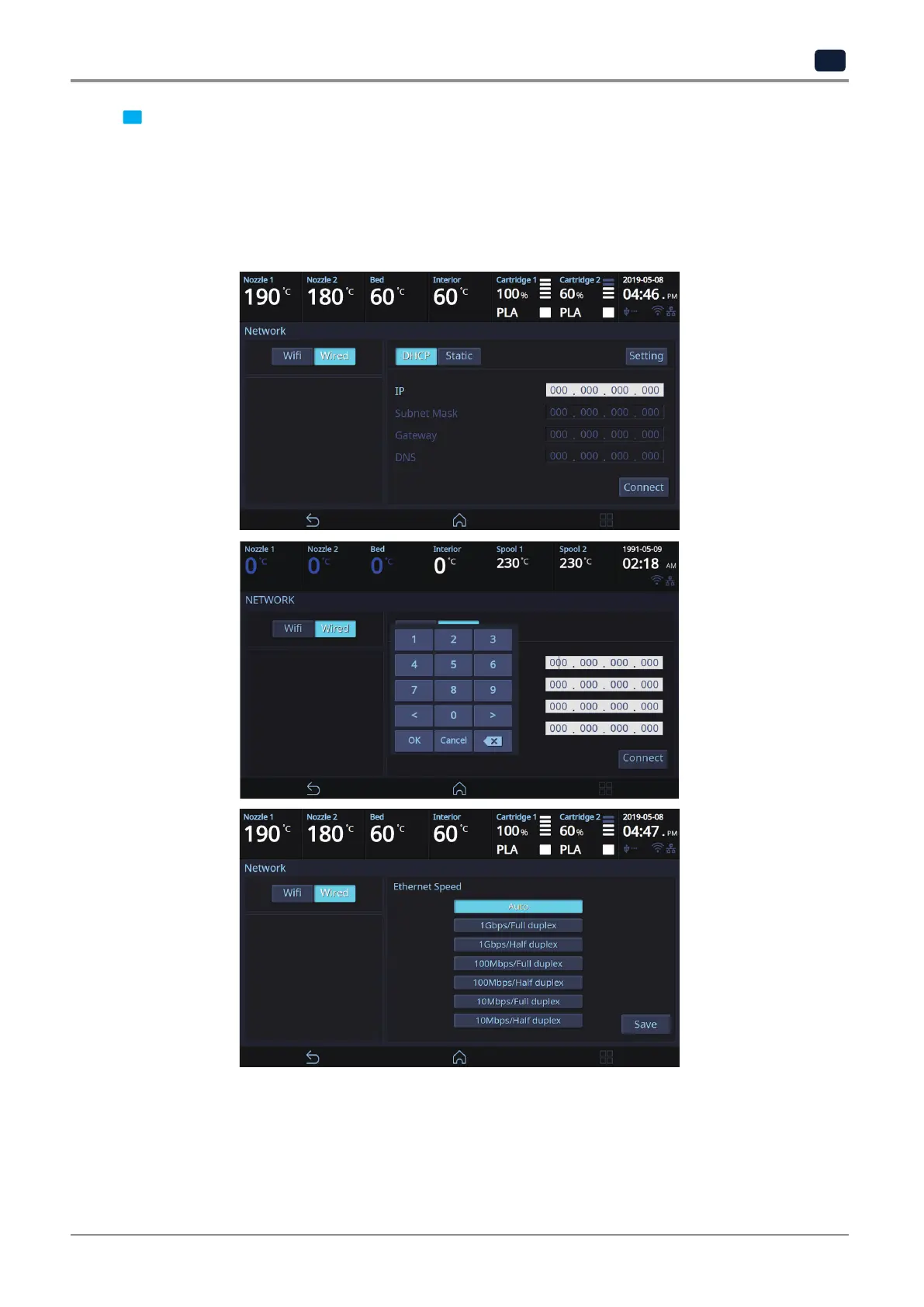
3 The default network setting is Wired (connection using LAN line).
Press [DHCP] for automatic IP address setup. To manually input a fixed IP address press [Static] and enter an
IP address. Press [Connect] to save the changes.
Press the [Setup] button to set the Ethernet speed and full/half duplex mode for the network environment.
In general, when set to [Auto], the speed and duplex/half-duplex mode are automatically selected for the
network environment.



 To Next Page