UI Menu Function
2-38
2
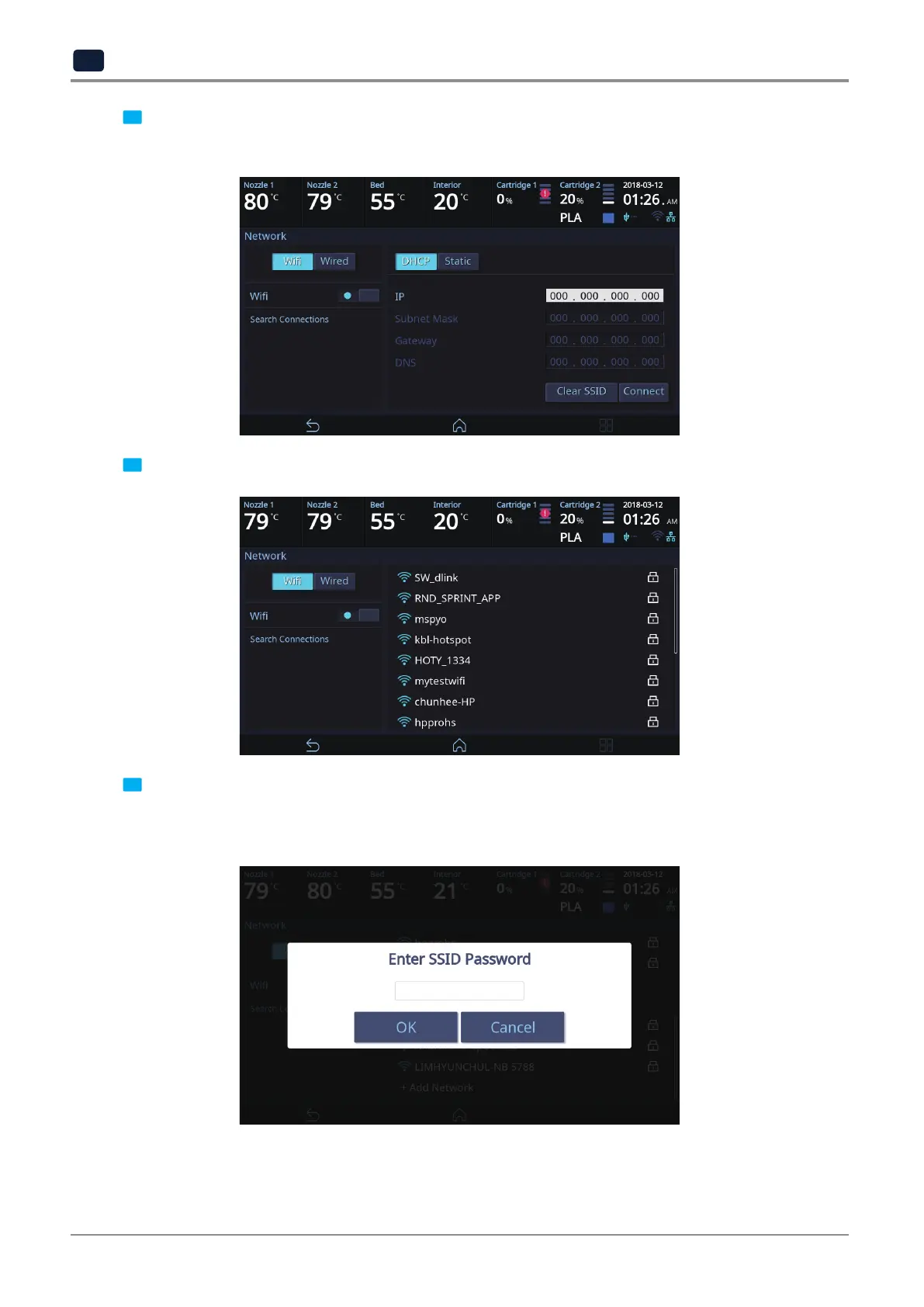
4 In any case to use Wifi press the [Wifi] button.
Wifi setting can be turned ON or OFF.
5 To select a Wifi network, you can call up the list of available Wifi by pressing [Search Connections].
6 Select a wireless network from the list to connect to the network. For a password-protected network,
a dialog pops up and asks for the password.
You can refresh the network list by clicking [Search Connections].



 To Next Page