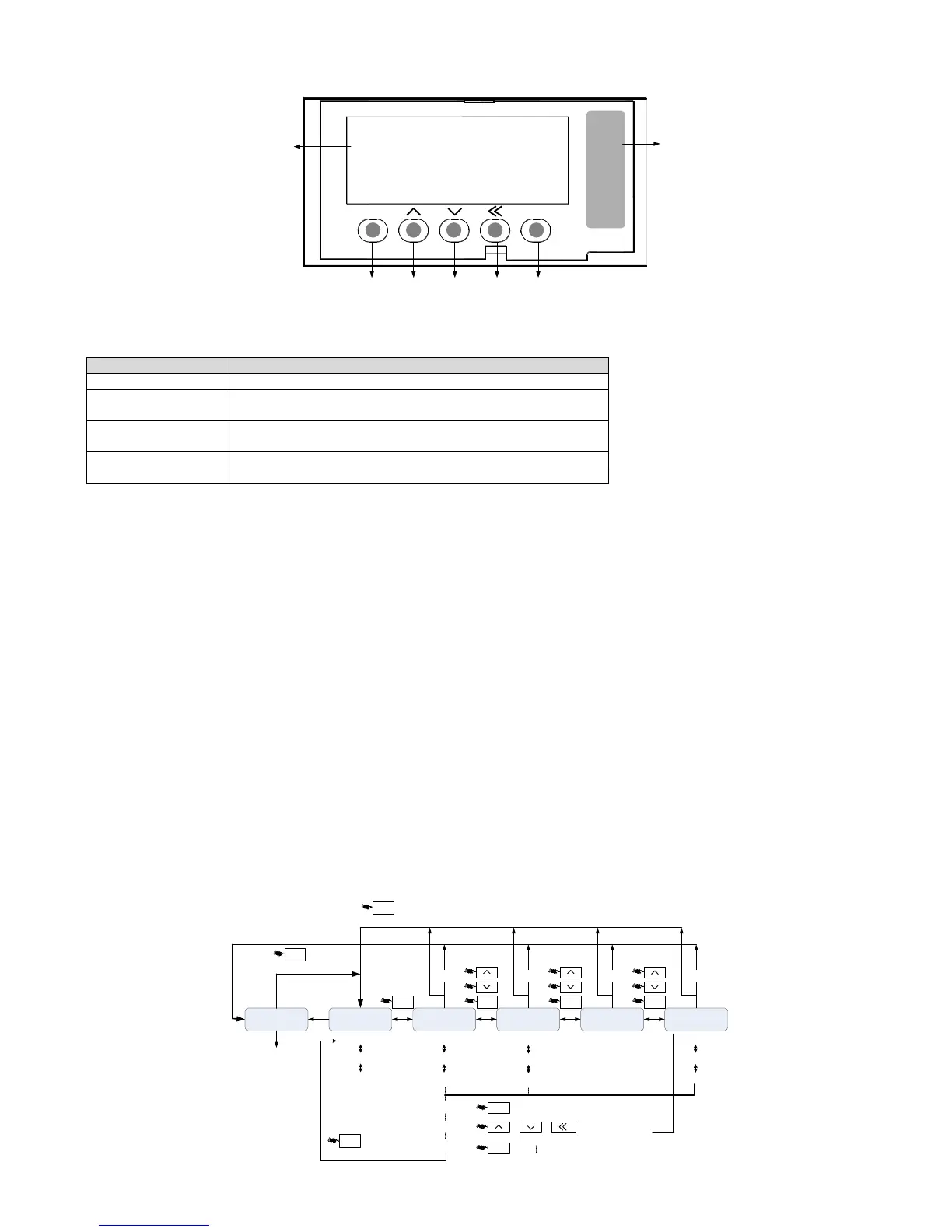
3.3 Parameter setting Description
1) When the drive is powered on, the digital tube display the default monitor code for one second, then work in monitor mode.
2) In monitor mode, pressing UP or DOWN key to change the monitored parameter code, then press the SET key to monitor selected
parameter code. If there is no key operation, it will monitor selected parameter code automatically after one minute.
3) In monitor mode, if the monitored parameter is 32 bit or displaying a more than 5 digits binary number, press the left key to switch the
display for high bit and low bit. When displaying high bit, the digital tube decimal point of the highest bit is lit.
4) In monitor mode, press MOD to enter the parameter set selection mode, then press UP / DOWN key to switch the parameter set, press the
MOD key to exit the parameter set selection mode back to monitor mode.
5) In parameter group selection mode, pressing left key, the flashing character shift left. It is easy to choose parameter group number. Press
SET key to enter parameter code selection mode, press MOD key to exit parameter code selection mode and back to parameter group
selection mode.
6) In parameter code selection mode, pressing UP or DOWN key can change the value of last two code to change parameter code, then press
the SET key immediately to enter the parameter setting mode and display the value of the parameter code.
7) In the parameter setting mode, use UP / DOWN key to set parameter. When pressing left key the blinking character will shift left, it is
easily and quickly to modify the value of the parameter high bit.
8) After setting the value, press SET key to store or execute a command.
9) After setting the value, the digital tube will display the status information of the parameter, for example, displaying -End-. Then
automatically back to parameter code selection mode.
10) In parameter setting mode, press MODE key or no key operation in one minute will cancel the modification of parameter value, and back
to parameter code selection mode.
11) When servo alarm, pressing MODE key for one second, it will show the current alarm code; pressing any key again to exit the alarm code
displayed.


 To Next Page