99
9 Fault alarm and Treatment
9.1Fault Diagnosis and Treatment
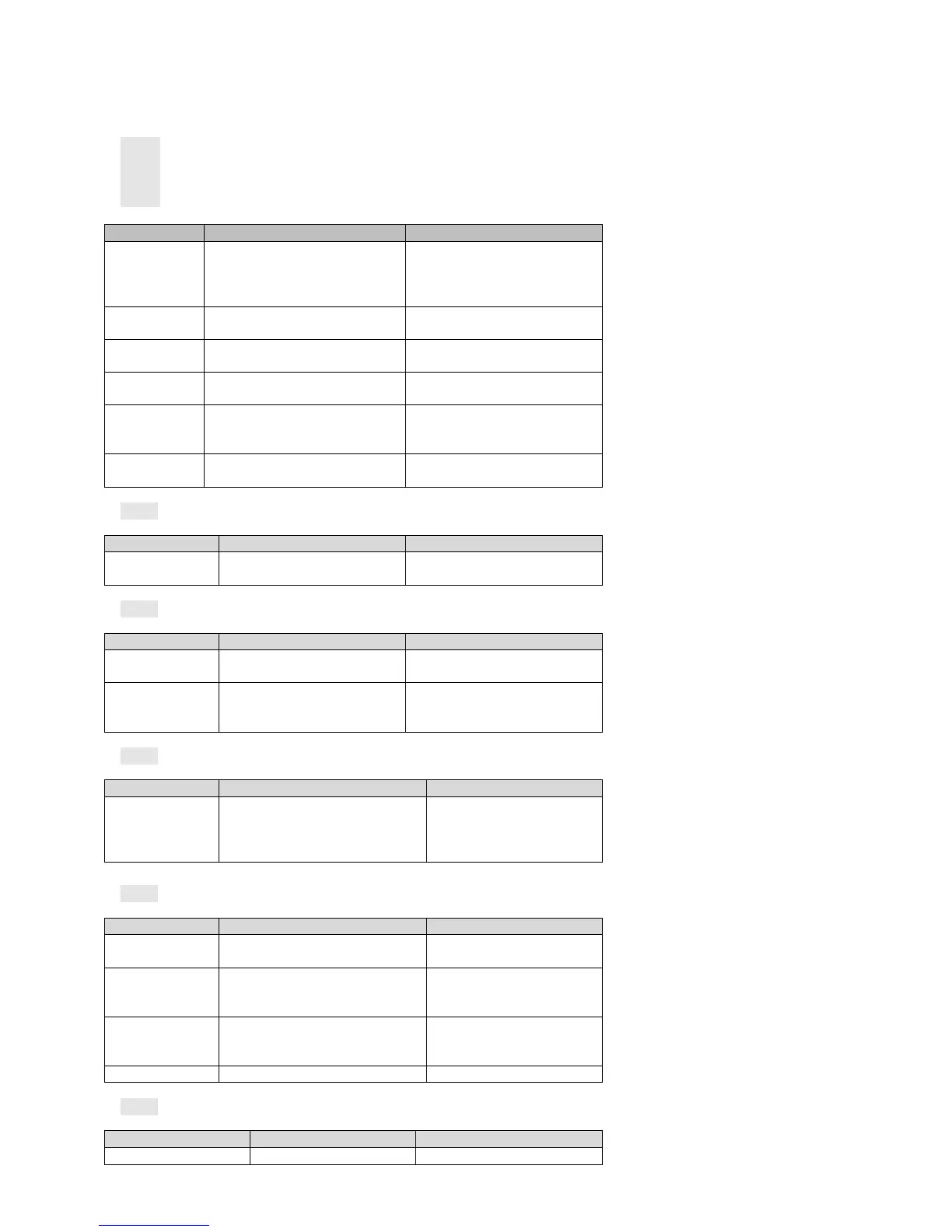
When a fault or alarm occurs, the servo drive will display ―AL‖
Last fault can be viewed by P0-18. Fault display and treatment measures are as follows:
AL001:Short circuit
AL002:Hardware over current
AL003:Software over current
Short circuit of drive
output
1:Check the connection status between
motor and drive or if there is a short circuit
2:Check if the motor damaged
1 : Exclude short circuit condition and
avoid metal conductor being exposed
externally.
2:Replace the damaged motor
Wiring error of the
motor
Check the wiring order of motor connected
to the drive
Re-wiring based on the wiring order
specification
Setting error of
control parameter
Check if the set value is much greater than
the factory setting value
Resume defaulted setting, and then
gradually modify
Command changes
drastically
Check if the control input command
changes too drastically
Fixed the change ratio of the input
command or initialize filter function
External braking
resistor is too small
or short circuit
Check if the external braking resistor
meets the specification
Use the braking resistor matched the
specification and set the parameters of
P8-18 and P8-20 correctly
When all the above problems are excluded,
the fault still occurs
Send back to the dealer or the factory for
check
AL003:AD Initialization Fault
Power to restart,if the fault still occurs
Send back to the dealer or the factory for
check
Abnormal write of
parameter data
Power off and restart,if the fault still
exists
Memory stored too
frequently
Check the program of upper computer if
the drive‘s EEPROM is frequently
written.
Modify the program of upper computer,
changed to RAM address in case it should
be frequently written.
External analog
sampling deviation is
too large or timeout in
conversion
Power off and restart,if the fault still exists
Send back to the dealer or the factory
for check
Check CN5 on the drive and the connector of
encoder
Check if the encoder wiring follows the
recommended specification as mentioned in
the manual
Encoder connection not
good
Check if CN5 on drive is well connected to
servo motor encoder, and if the shielding
layer is intact
Exclude wiring problems, the fault still exists
Z signal error of incremental


 To Next Page