17
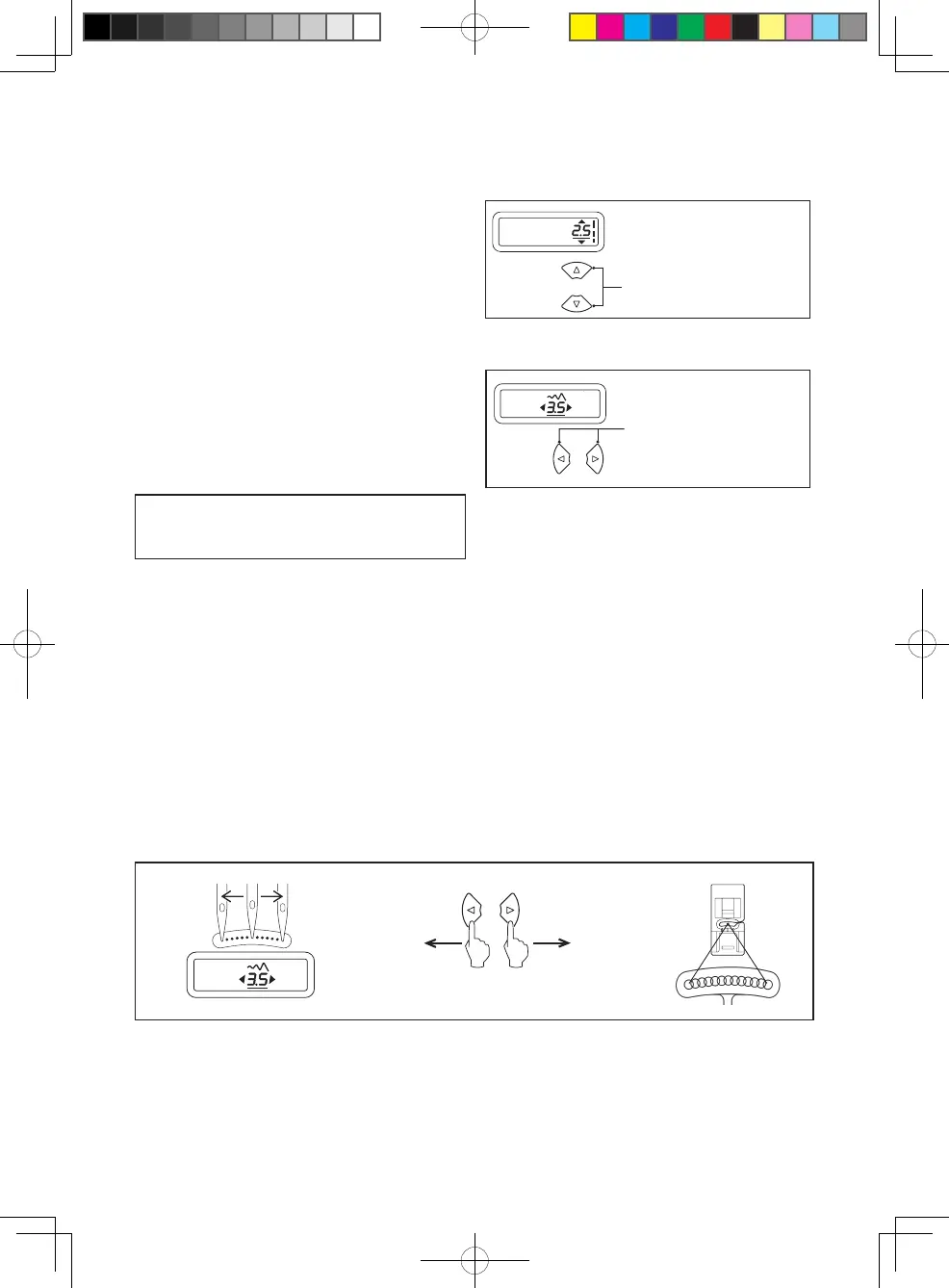
Your sewing machine will produce your
stitching requirements at a default stitch
length and width.
Default settings of stitch length and width
are underlined on the display.
You can manually change the length,
width or needle position for straight stitch
according to your preference by pushing
manual adjustment buttons.
NOTE: Some patterns offer more
options for manual adjustments than
others.
Manual adjustment buttons
for stitch length
Manual adjustment buttons
for stitch width/needle position
STITCH LENGTH AND STITCH WIDTH
/ NEEDLE POSITION ADJUSTMENT BUTTONS
The position of the needle when sewing straight stitch may be adjusted to 13 different
positions with the Stitch Width Control as illustrated:
Toward rightToward left
Multi-function button
STRAIGHT STITCH NEEDLE POSITION


 To Next Page